Real-Time Art Auction Mobile App
For Orange Canvas Gallery
Designed and prototyped a responsive, mobile-first Art Auction app, empowering art buyers to efficiently manage clients and track real-time bidding and winning lots.
Project overview
Scope:
UX Design, AI UX Research, Product Design
Tools:
Figma, Fig Jam, Figma Make, Gemini, Canva, Digital Pen
Problem:
Traditional art bidding processes can be fragmented and difficult to track in real-time, often leading to missed opportunities for buyers managing multiple clients or lots.
Solution:
A specialized mobile platform that centralizes client management and provides real-time tracking for active bids and winning lots.
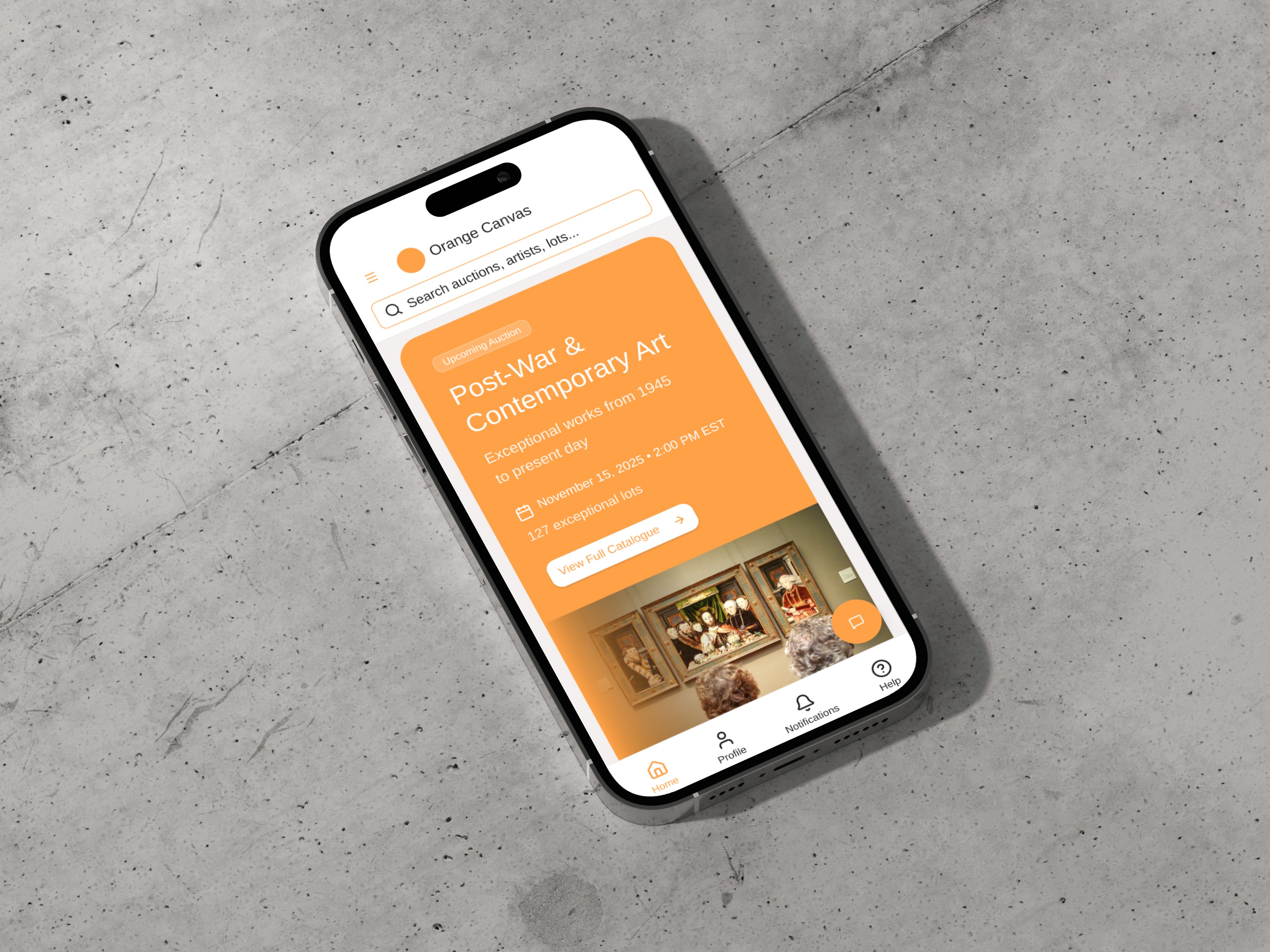
Empathize: Defining the Art Buyer Landscape
The foundational Empathize stage was crucial for understanding the target user's context, motivations, and pain points in the high-stakes world of art acquisition.
Observe Real-World Auction Events
Conducted secondary research by analyzing live online and offline auctions via video to observe user behavior and bidding dynamics.
Research Bidding Laws & Taxes
Investigated key market rules, including standard bidding protocols, tax implications, and auction house percentages.
Generate & Refine Key Personas
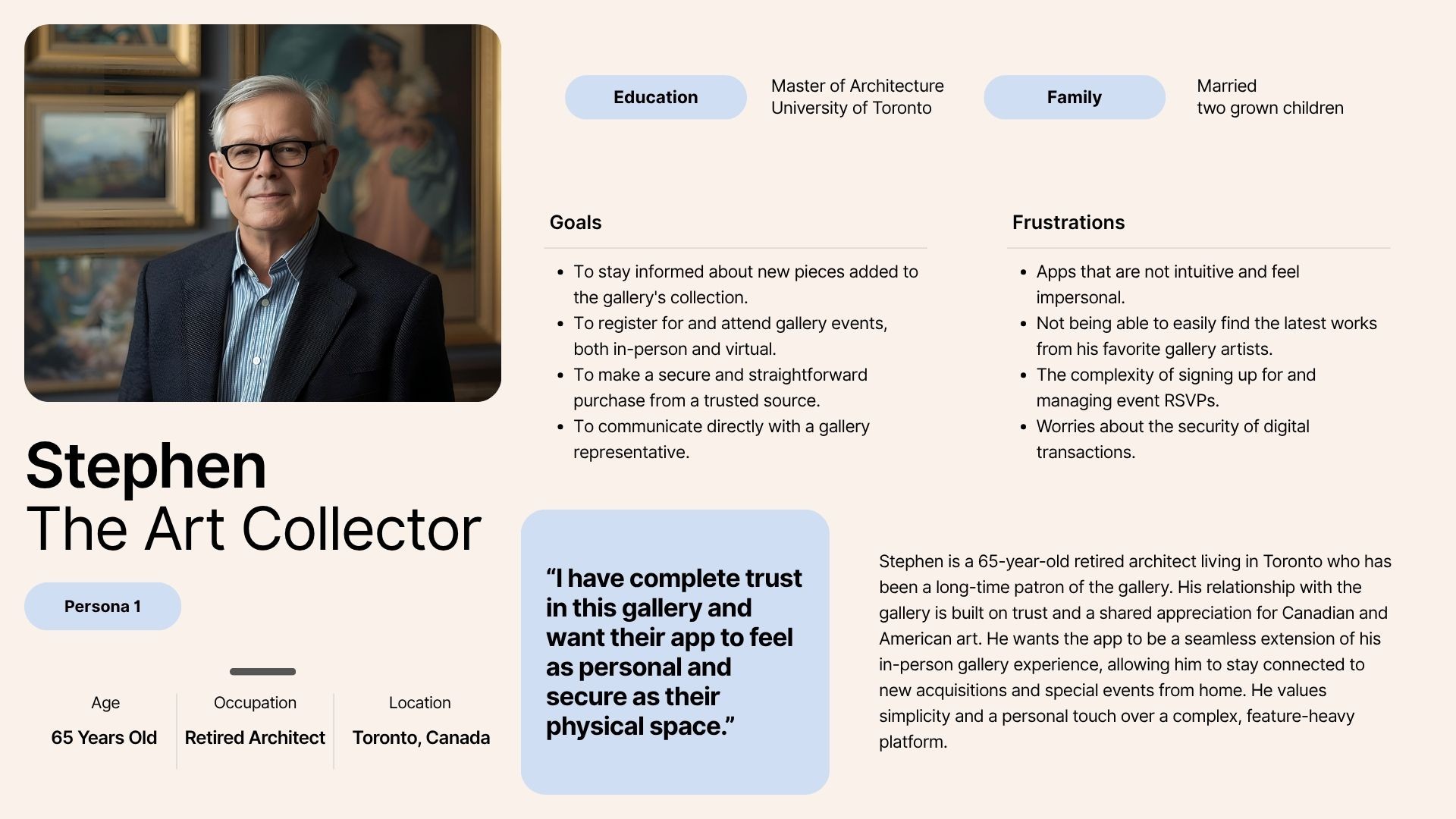
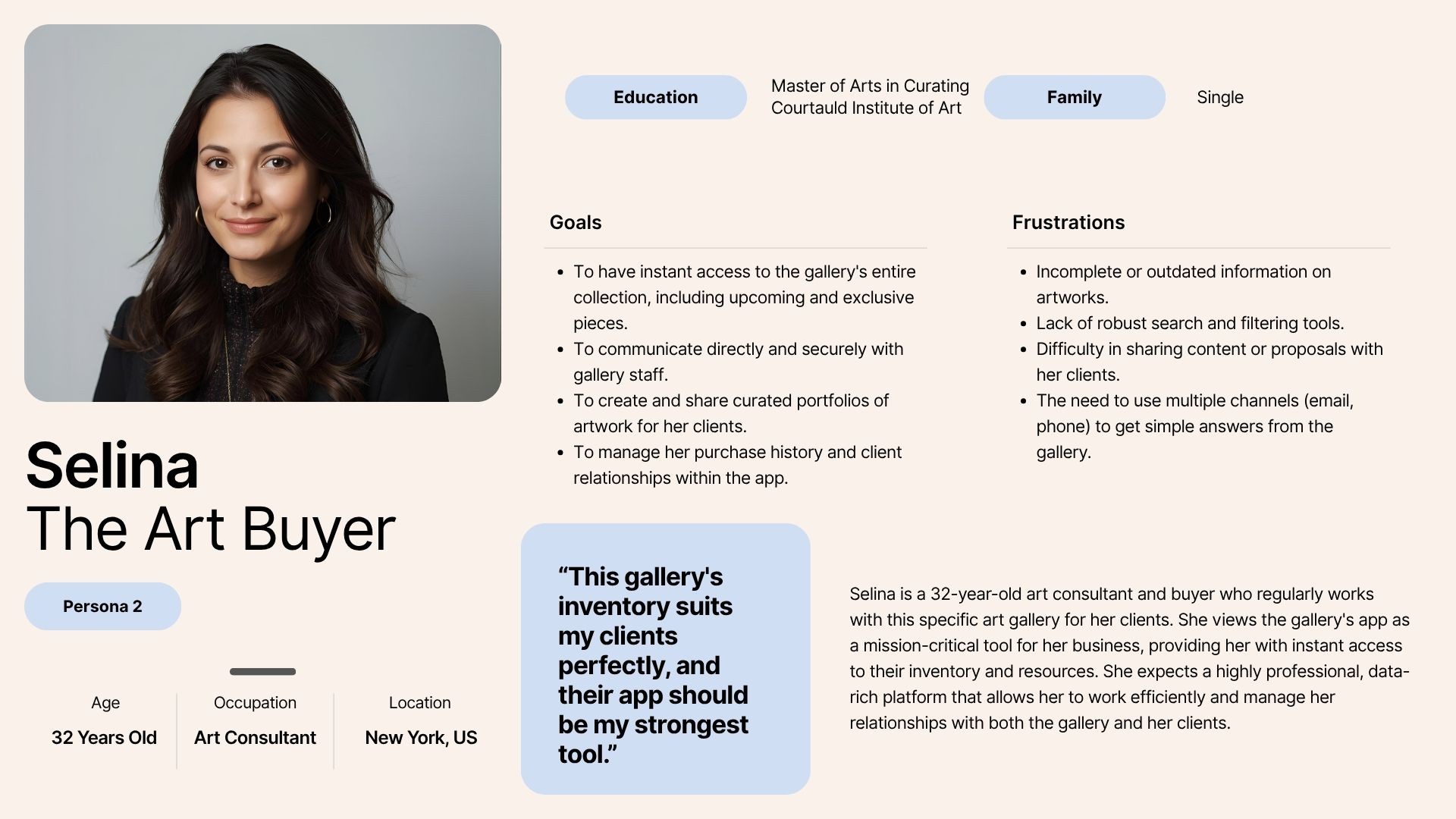
Leveraged Gemini for rapid persona generation (Stephen and Selina), ensuring the final output was accurate and empathetic.
Profile Two User Segments
Defined two distinct user profiles: the Seasoned Collector (investment focus) and the Professional Art Buyer (client management).
From Research to Reality: Defining Users
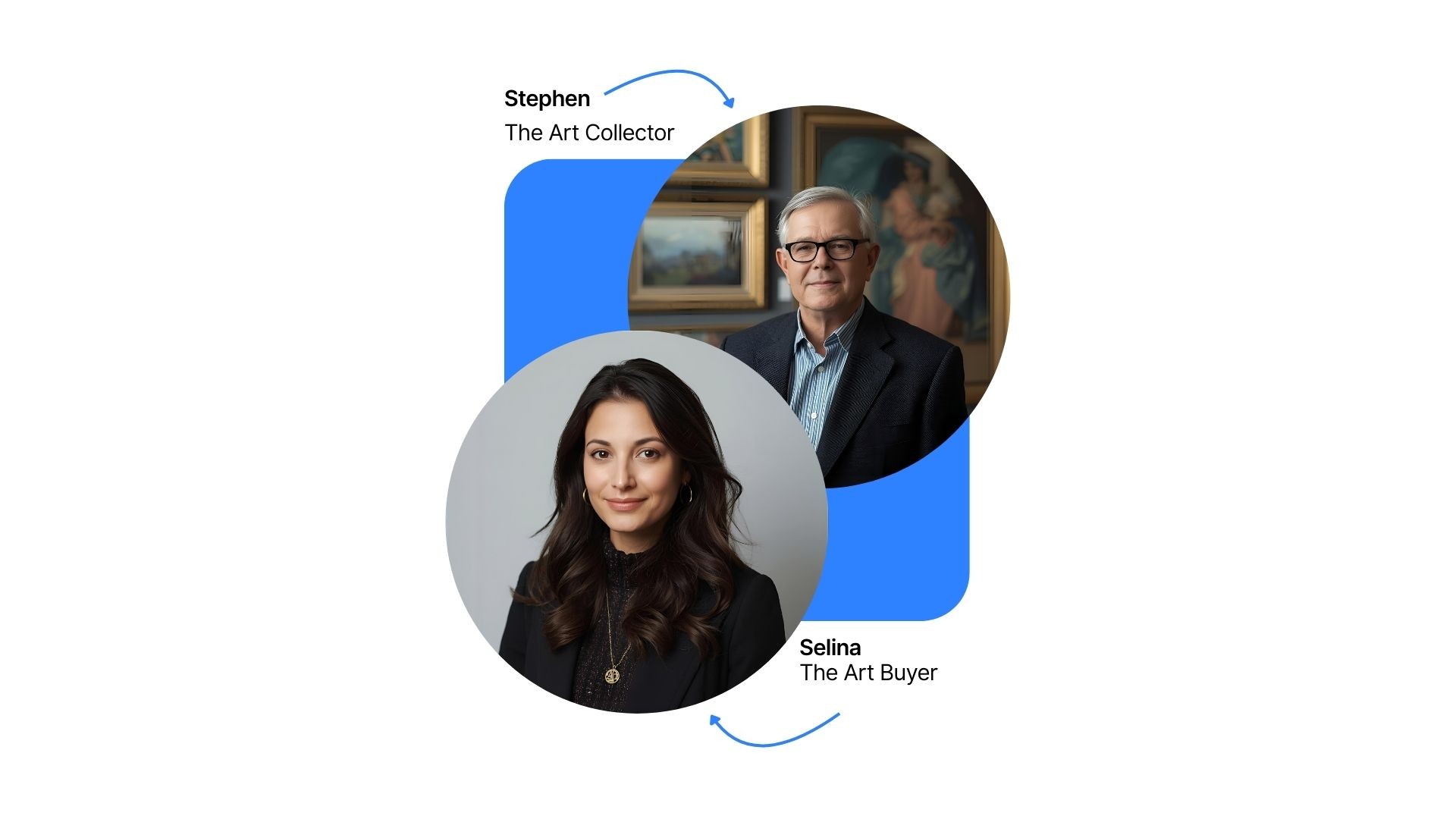
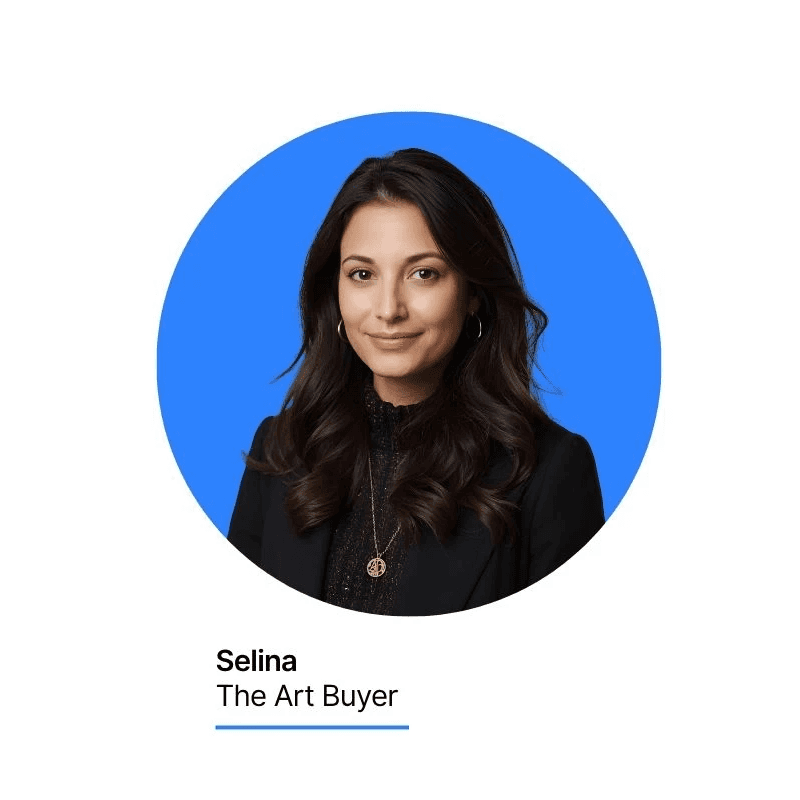
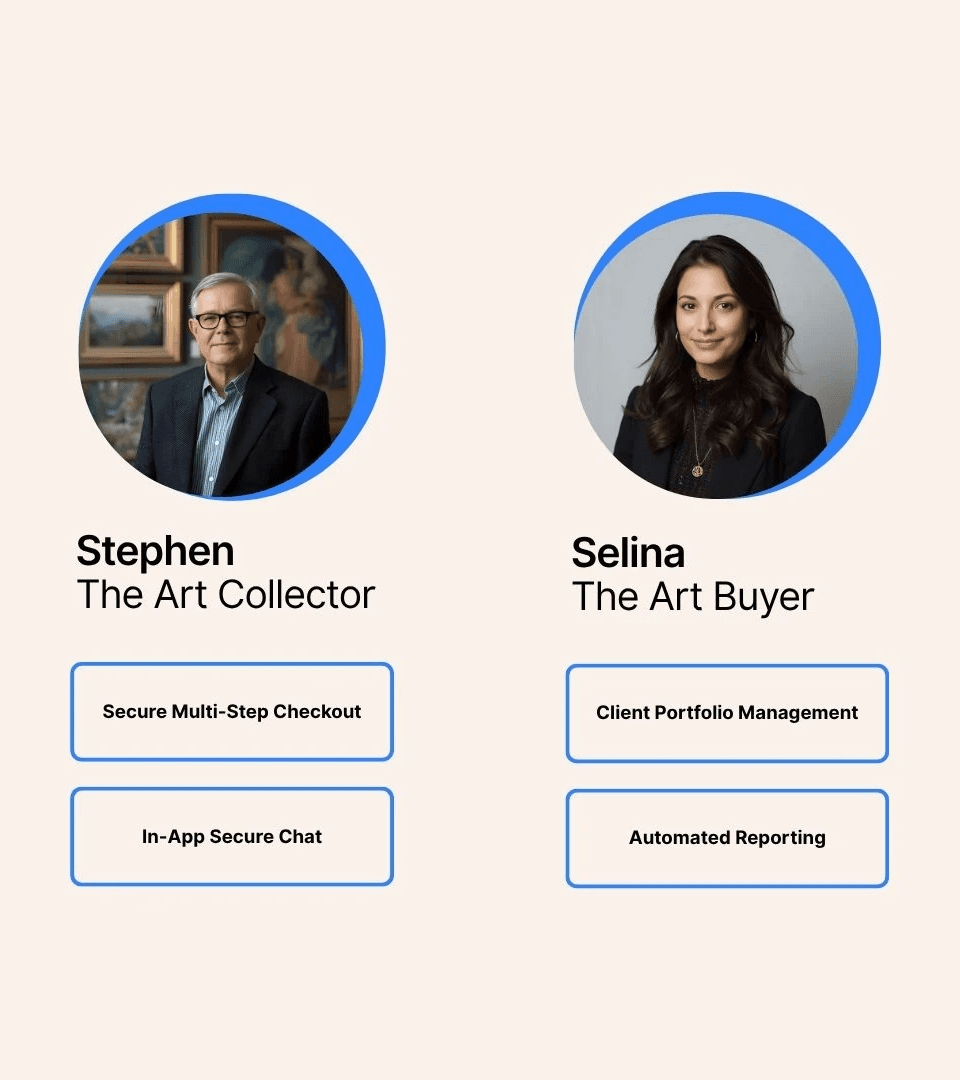
Stephen, a seasoned art collector from Toronto, and Selina, a professional art buyer from New York. These personas were designed to reflect the diverse needs, goals, and frustrations of target users for an art auction app for an art gallery.
Defining Success: Happy Paths & Edge Cases
To translate the high-level needs and frustrations from the user journeys into actionable, feature-level requirements for the development team, I used Gemini to create the user stories, which provide a clear, concise way to define what the user wants to accomplish and why.
Happy Path
Story 1: Finding the perfect piece
As an art collector, I want to easily browse the gallery’s exclusive inventory by artist and medium so that I can find pieces for my collection.
Story 2: Registering for a virtual event
As an art collector, I want to receive a digital invitation and have a one-click way to RSVP for a virtual gallery event so that I can easily attend.
Story 3: Making a confident purchase
As an art collector, I want to communicate directly with a gallery representative and complete a secure, straightforward checkout process so that I can confidently purchase a piece I love.
Edge Case
Story 4: No new work from a favourite artist
As an art collector, I want to receive notifications when new work from a gallery artist I follow becomes available so that I don't miss an opportunity to acquire a piece.
Story 5: Technical issues during a virtual event
As an art collector, I want a dedicated help button to immediately report a technical problem during a virtual event so that the gallery staff can assist me, and I don't miss the presentation.

Happy Path
Story 1: Researching a new piece for a client
As an art buyer, I want access to comprehensive artist data and market insights for the gallery’s inventory so that I can efficiently evaluate potential investments for my clients.
Story 2: Proposing a piece to a client
As an art buyer, I want to create a curated watchlist for a specific client and easily share a secure, professional report with them so that I can propose new acquisitions.
Story 3: Finalizing a purchase
As an art buyer, I want a secure in-app chat with the gallery’s staff to quickly finalize details and close a deal for my client.
Edge Case
Story 4: Incomplete data
As an art buyer, I want every piece of art to have a verified provenance and high-resolution images so that I can confidently recommend it to my clients.
Story 5: Multi-client confusion
As an art buyer, I want a clear separation between my client profiles and their respective watchlists so that I don't accidentally send a proposal for the wrong client.
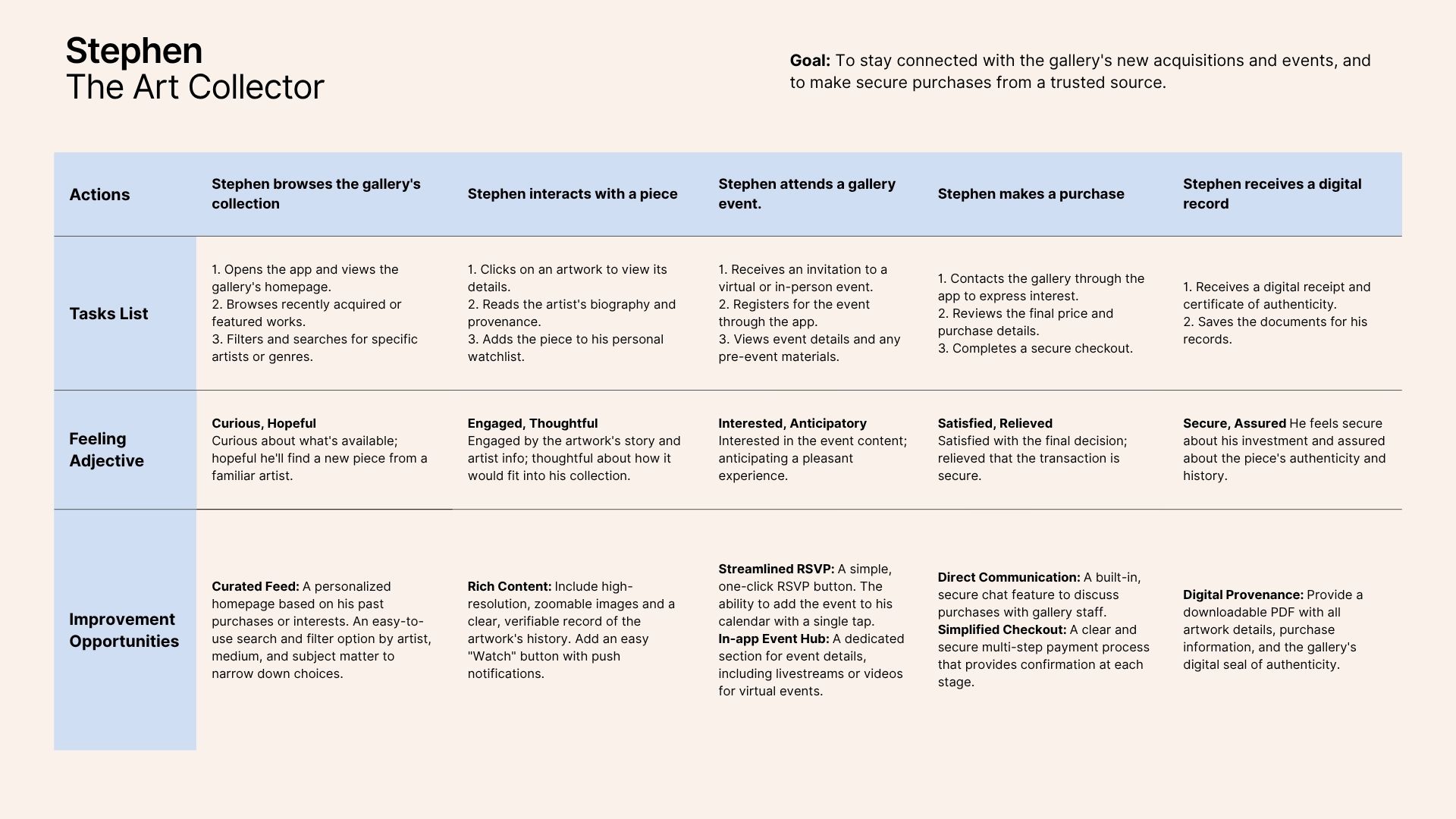
Mapping the Experience: User Journeys
Core Problems and Testable Hypotheses
Based on the insights from our user personas, journey maps, and user stories, using Gemini, I defined the core problems and proposed testable solutions. These statements provide a clear roadmap for what the app needs to achieve to meet our users' needs.
Stephen
Problem Statement 1
Stephen is an art collector who needs a more intuitive way to discover new artists and artworks from the gallery because it will help him feel more connected to the gallery's latest acquisitions and he will not miss opportunities to see new pieces from his favorite artists.
Hypothesis 1
Problem Statement 2
Hypothesis 2
Selina
Problem Statement 1
Hypothesis 1
Problem Statement 2
Selina is an art buyer who needs a streamlined way to share art proposals with her clients because it will eliminate her current process of using fragmented communication channels, leading to more efficient and clear communication.
Hypothesis 2
Value Proposition
Process Synthesis & Competitive Insights
I used Gemini to compile and categorize core features, connecting them to user pain points to establish a clear value proposition.
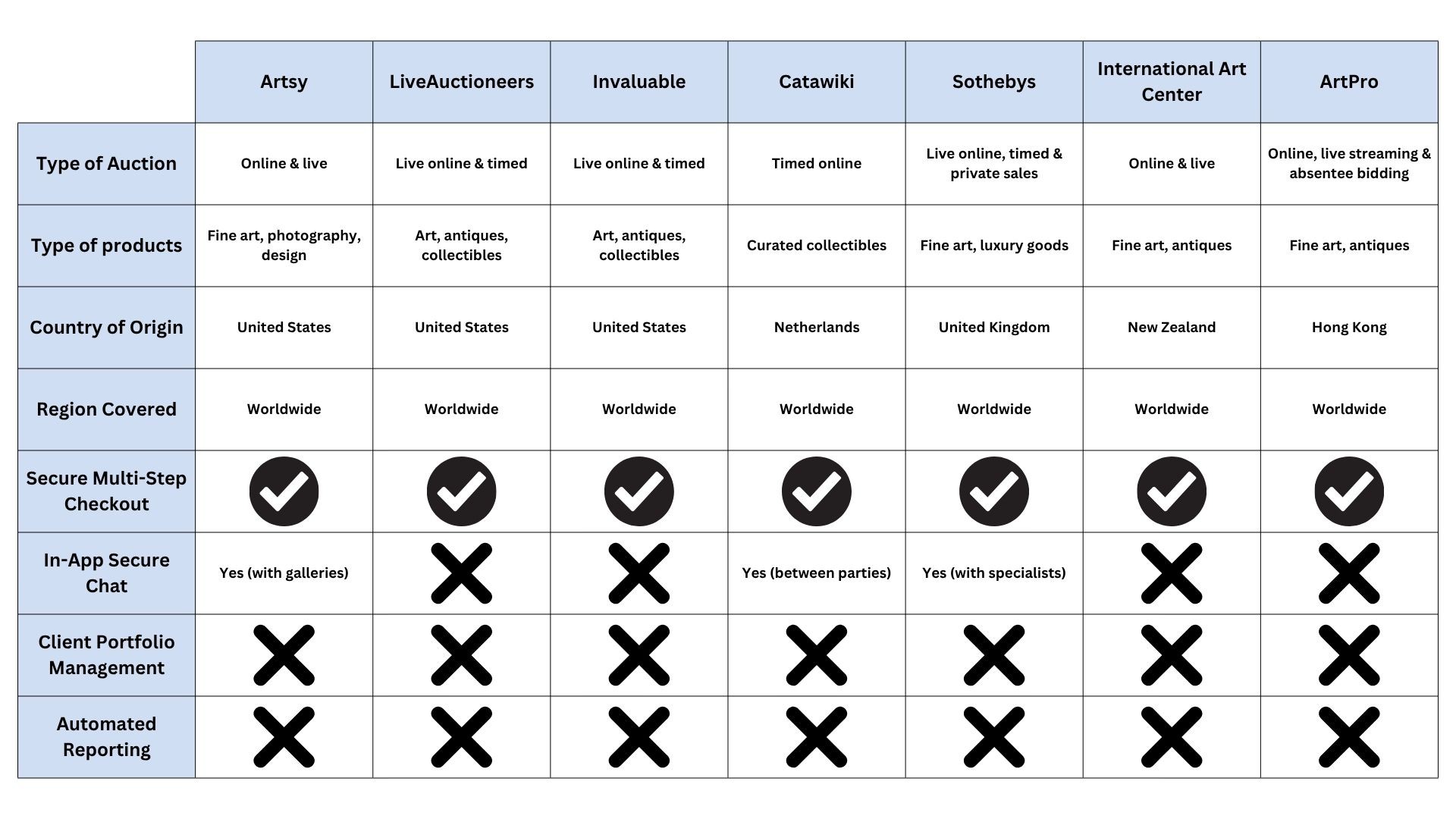
This was followed by a comprehensive competitive analysis of existing apps, which revealed significant flaws in customer support (chat quality), persistent filtering, and notification reliability.
This research cemented the need for unique differentiators like a secure, 24/7 in-app gallery chat and a dedicated Client Management Profile.
Observation on AI Augmentation
A key observation was that using AI for feature definition significantly reduced unnecessary feature bloat compared to early human ideation, increasing efficiency. Although AI accelerates data compilation, I actively verified the output to maintain human empathy and ensure accuracy based on real competitive feedback. This blend of AI speed and human oversight proved critical for framing the app's final value proposition and design requirements.
Value Proposition: Filling Competitive Gaps
The following table distills the core features of the proposed Orange Canvas Auction App, directly contrasting them with the key weaknesses identified in the market during the Competitive Audit (see Comprehensive Audit for the full analysis sheet). This alignment clarifies our unique value proposition and design advantage.
Read the Competitor Audit Report
Ideate: Visualizing the Winning Experience
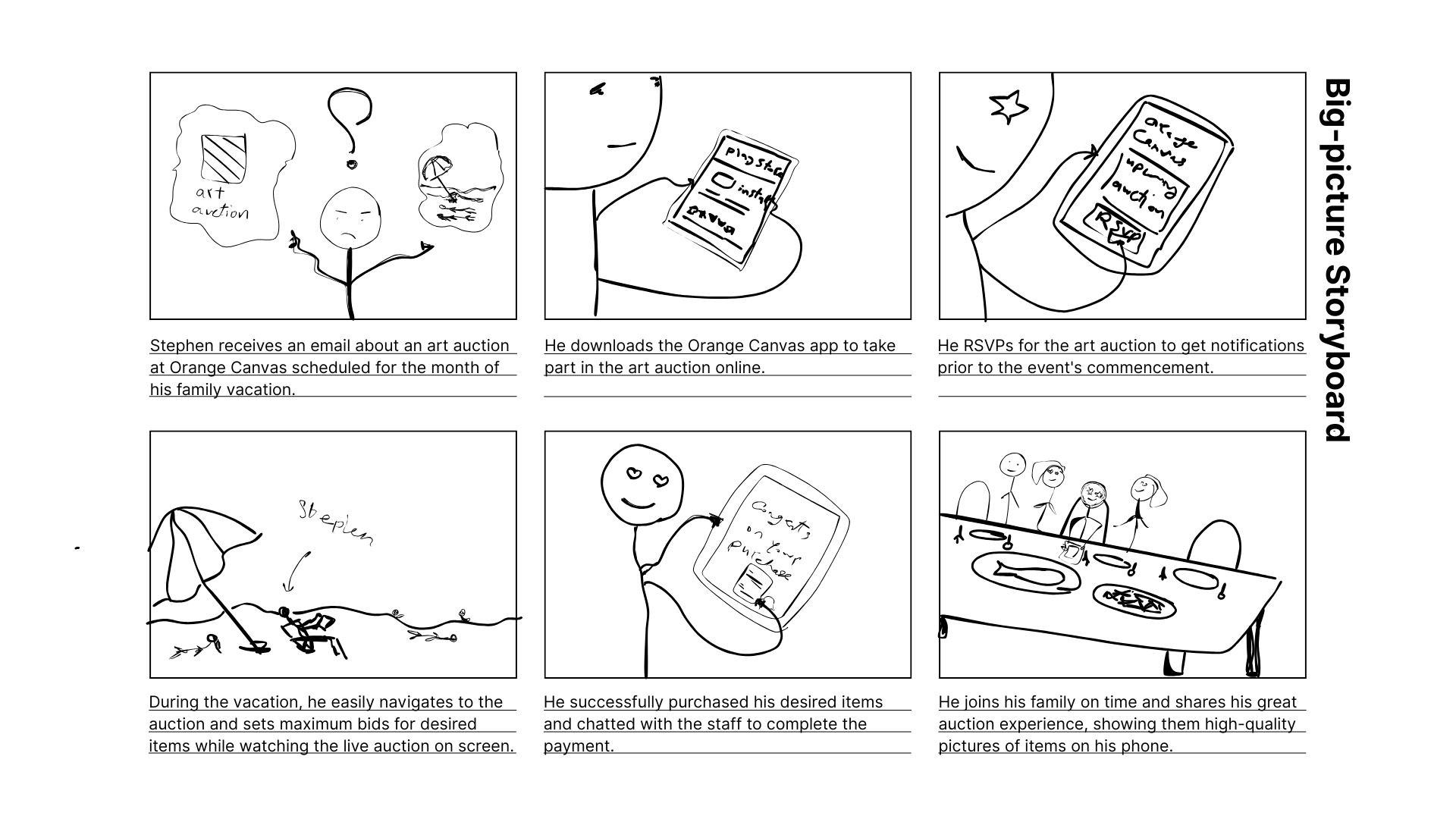
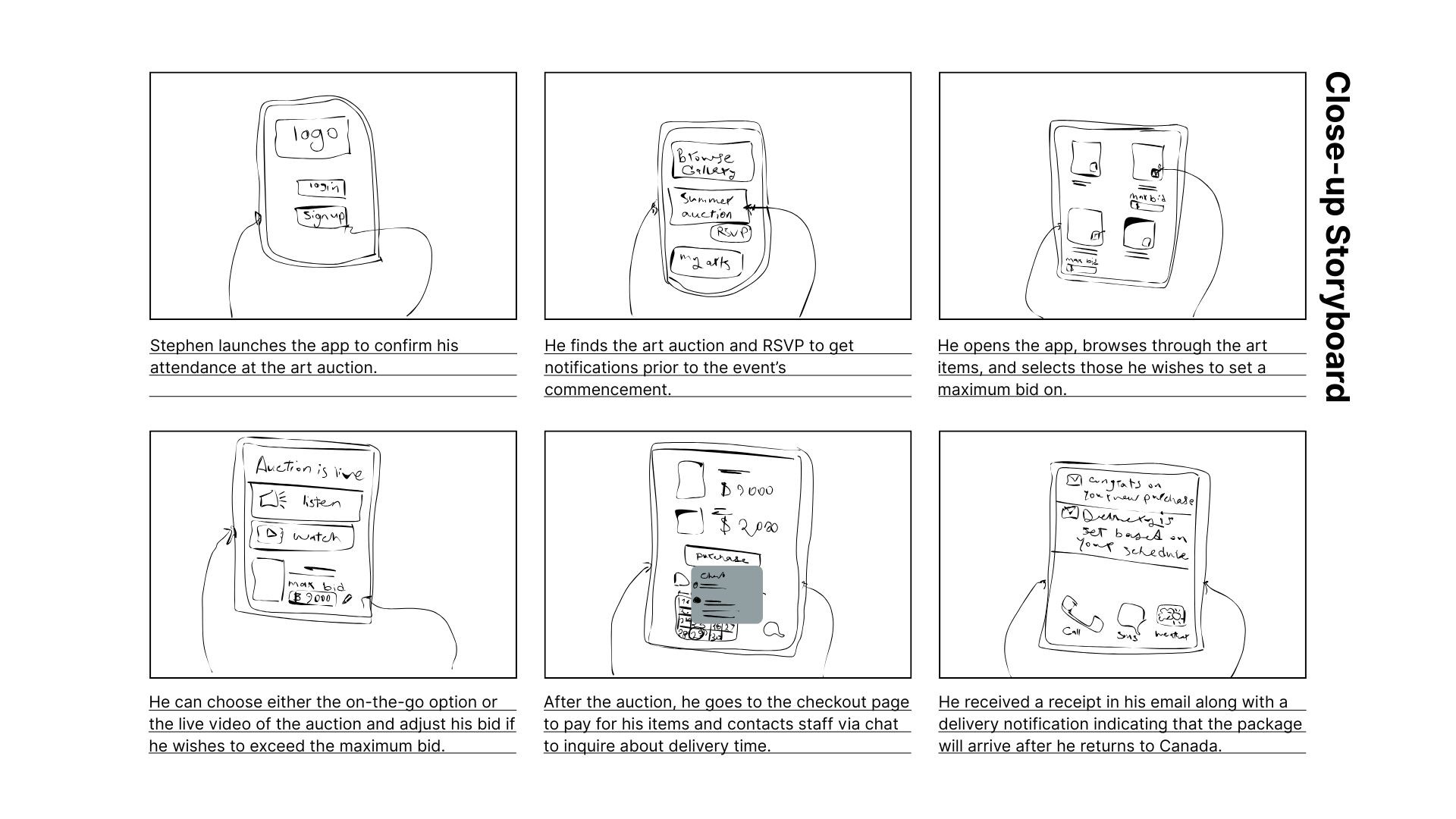
In the Ideate stage, I used a digital pen and Canva to develop both big-picture and close-up storyboards, visualizing Stephen the Collector's entire user experience—from bidding with weak connectivity to coordinating international delivery.
Prototype: Mapping the Solution
User Flow
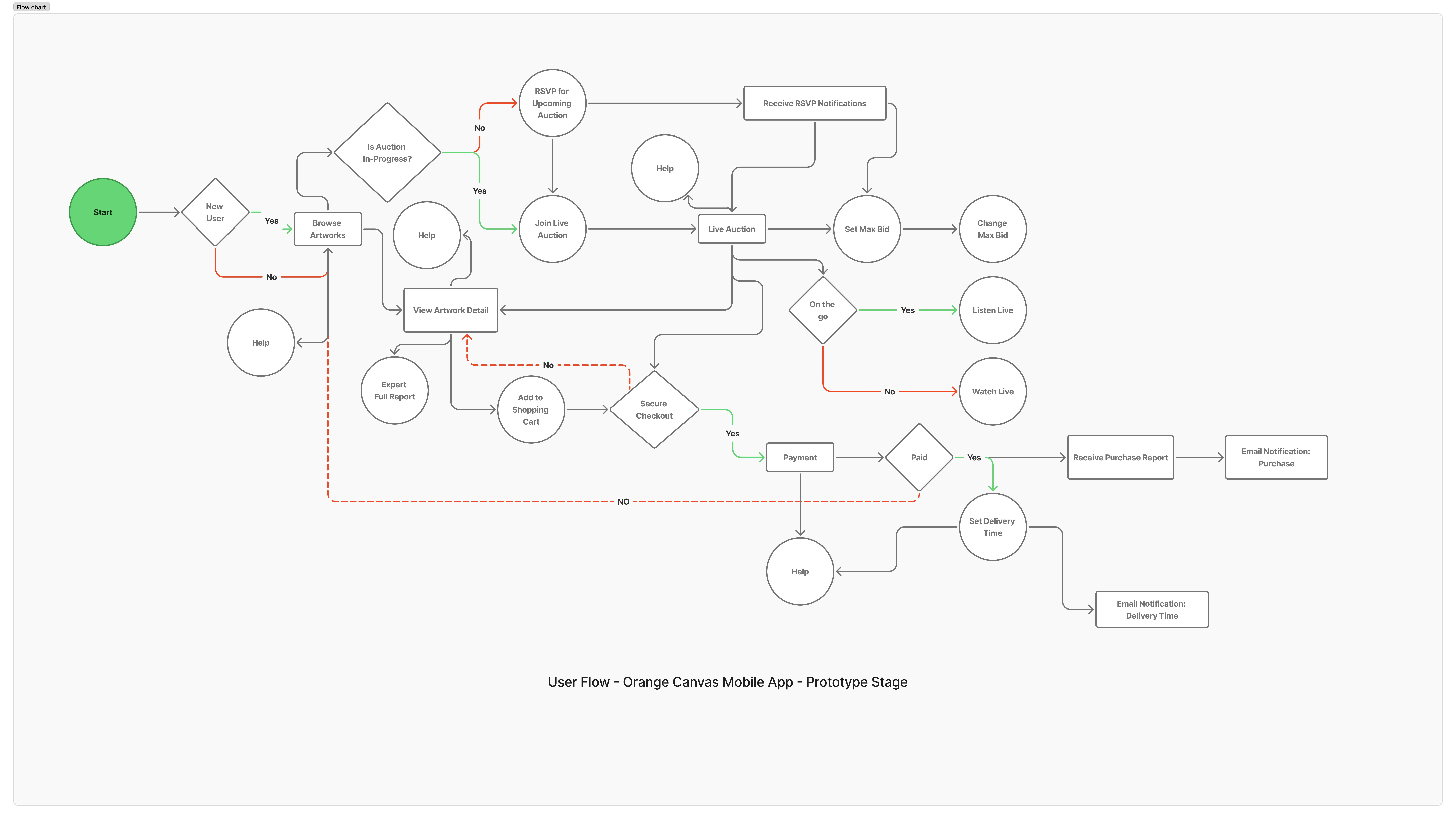
This user flow diagram visually maps the seamless and logical user journey through the Orange Canvas app, specifically focusing on the process from app launch to completing a purchase during an auction. The flow was developed through an iterative process that began with a simple outline and digital paper wireframes created in Canva to explore screen designs.
Observation on AI Augmentation
Following the initial design exploration, a comprehensive prompt was generated using Gemini and detailed in Figma Jam with Figma AI to expedite the final flow; however, inconsistencies—such as incorrect placement of decision points—were introduced, highlighting the need to refine the flow based on initial research and storyboards.
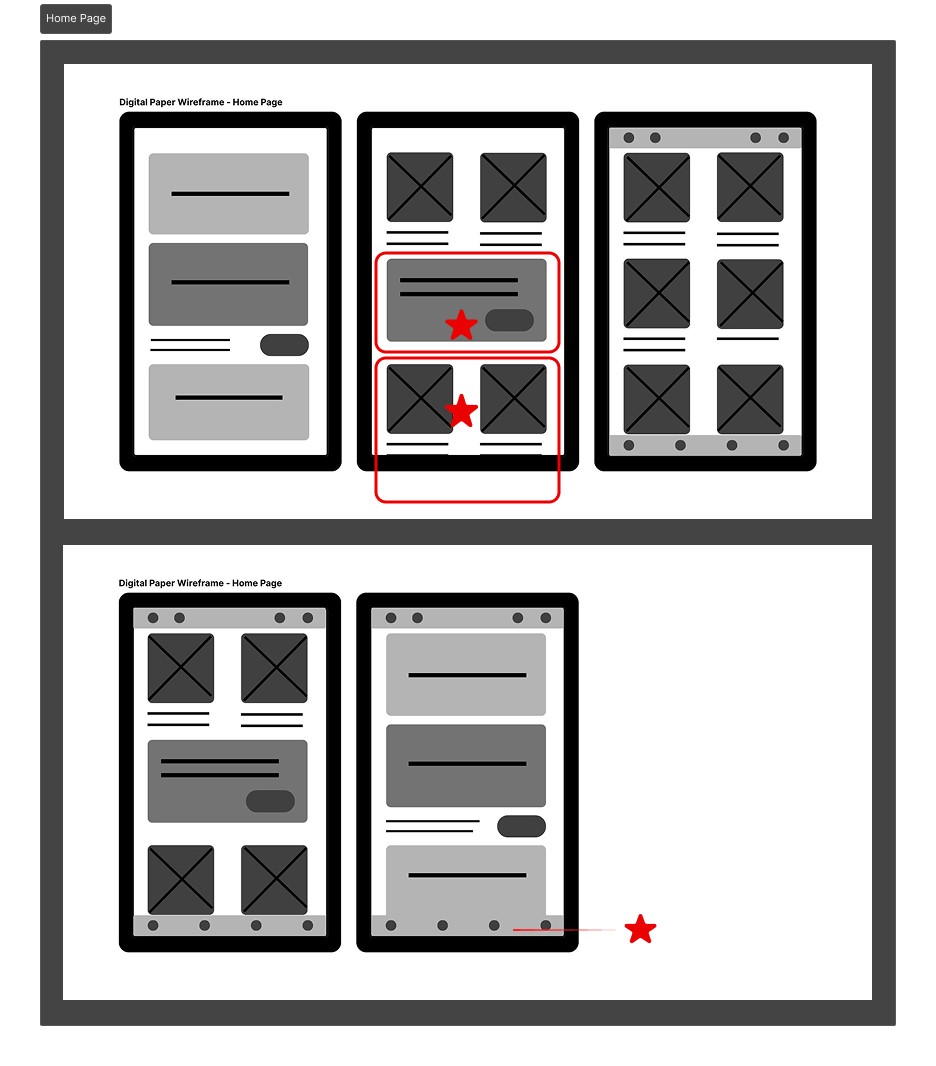
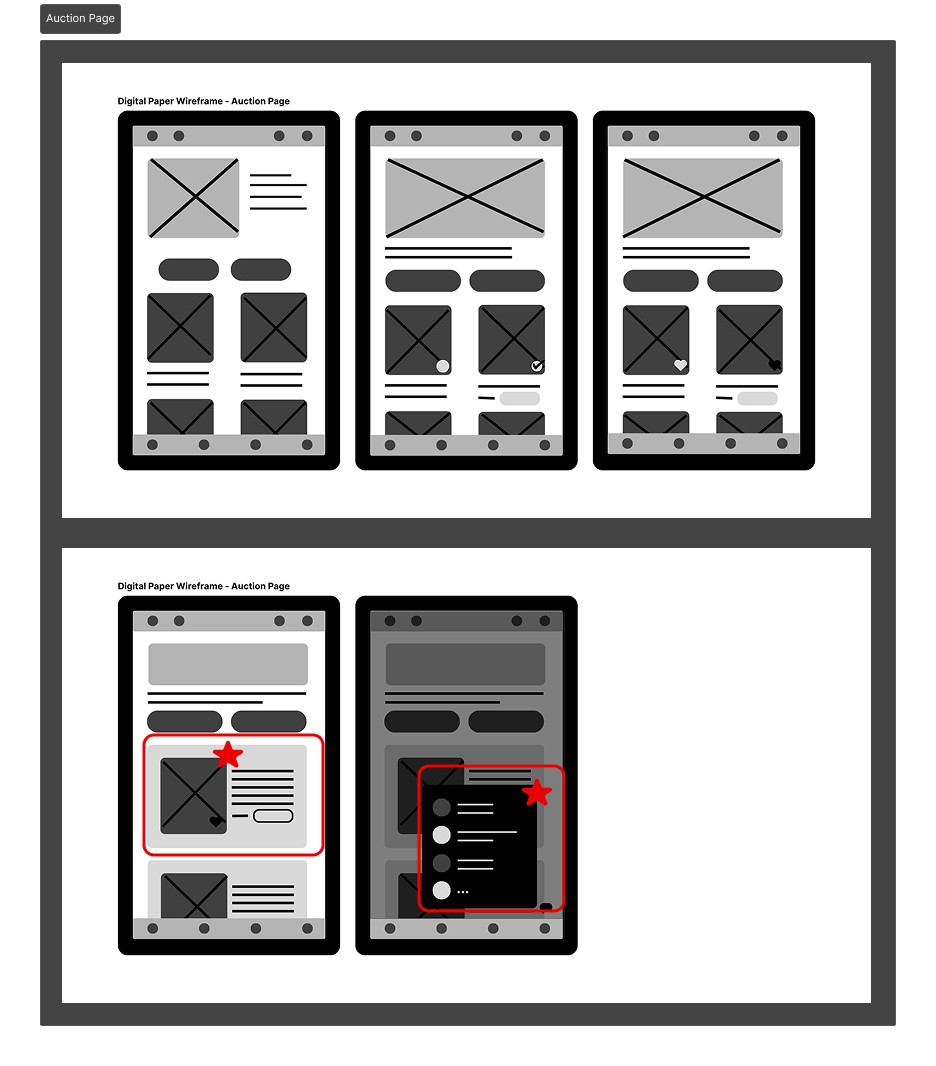
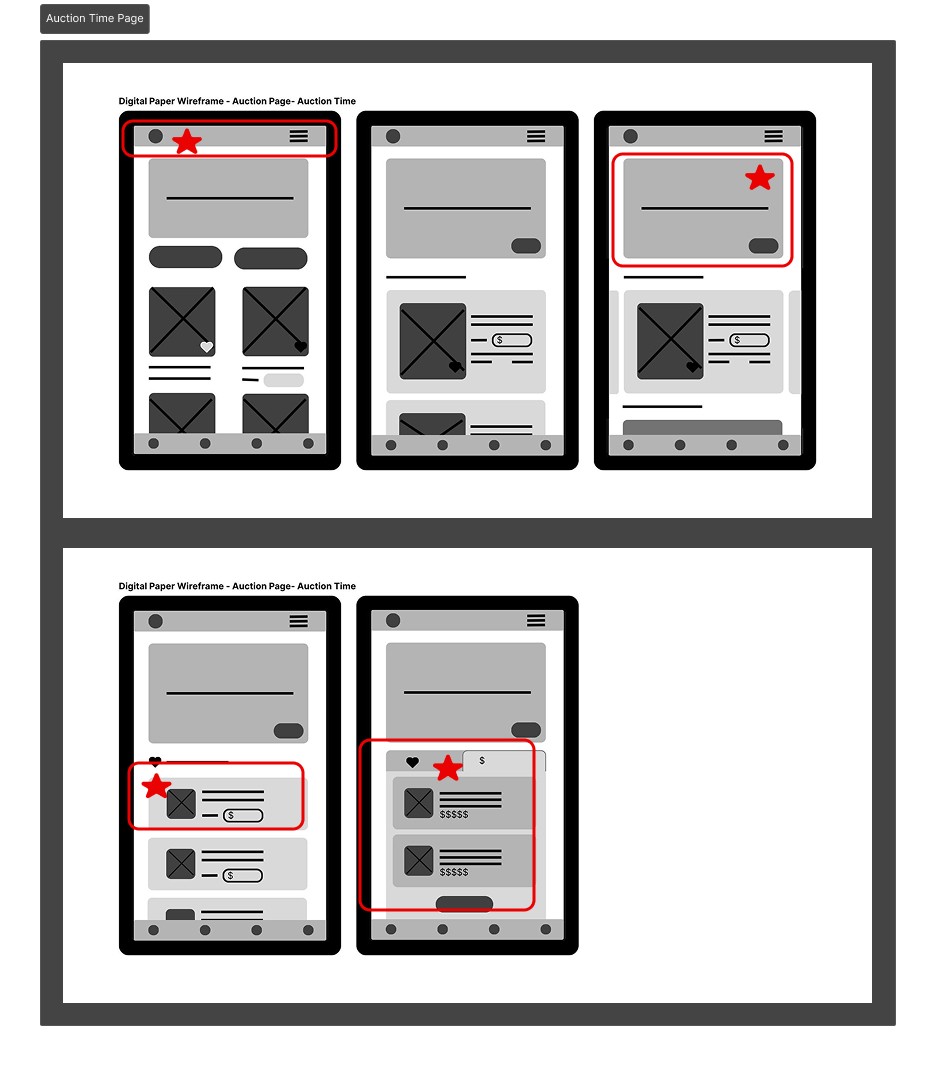
Digital Paper Wireframing and Concept Refinement
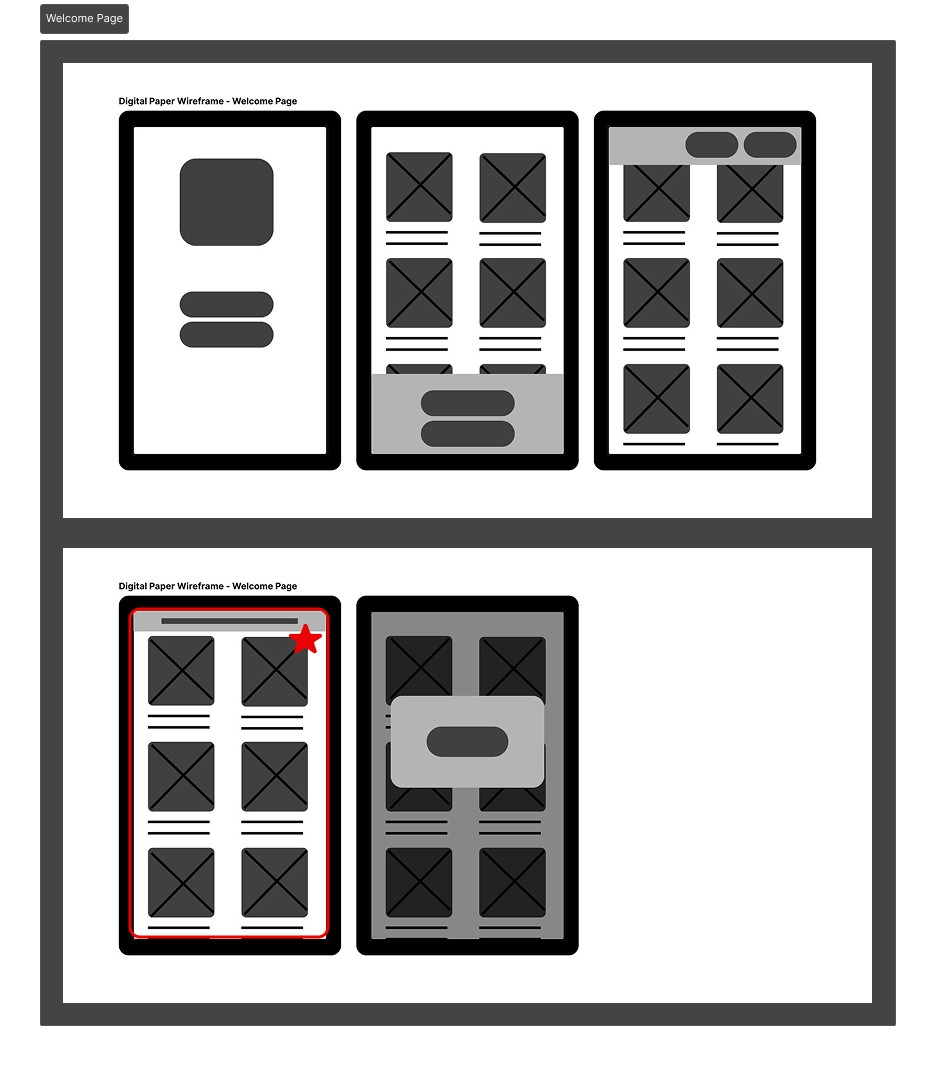
While some methods favor traditional pen and paper for its speed and cost-effectiveness, my design preference utilizes a digital pen and digital paper in Canva. This approach ensures rapid idea generation while offering an environmentally conscious workflow that reduces waste from missteps.
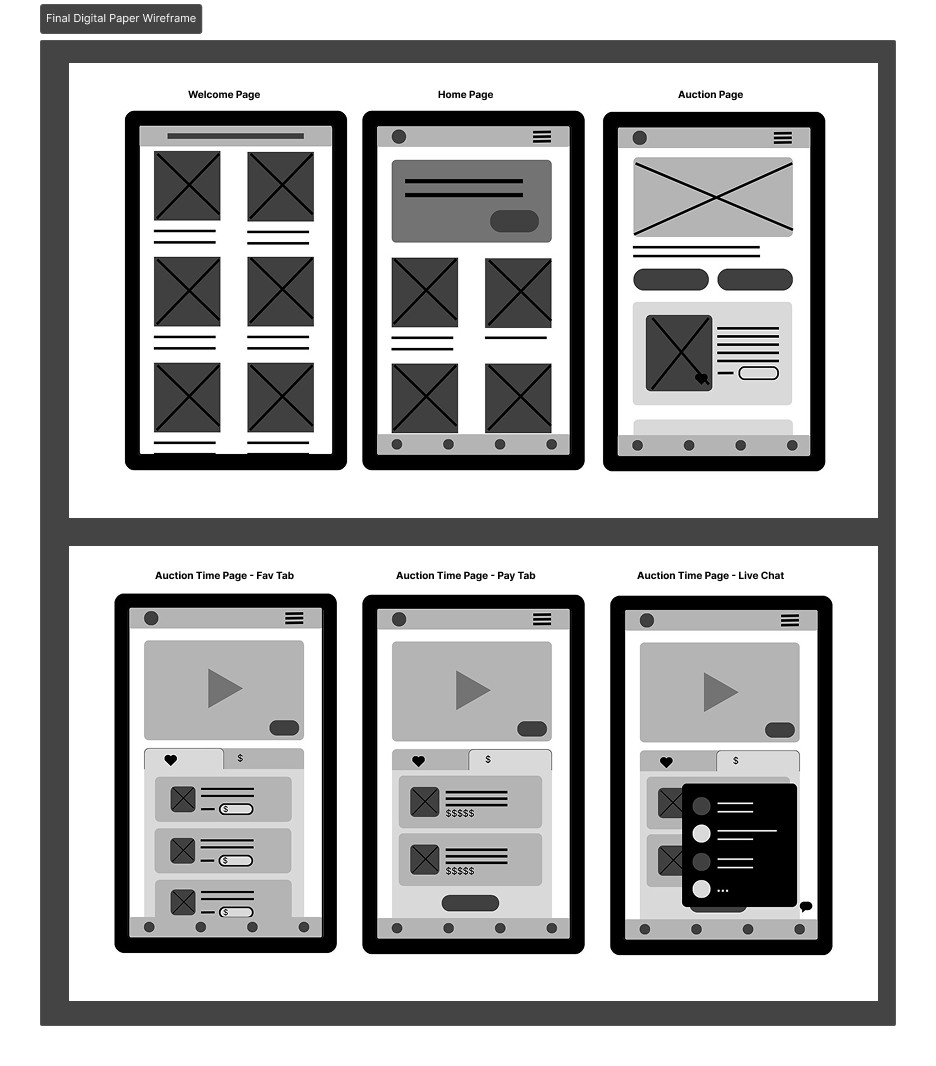
After completing the initial user flow, I used this digital environment to quickly generate five distinct design options for the four main app screens. Following this rapid ideation phase, I strategically highlighted the most successful elements that aligned with the original ideation goals and effectively addressed the user persona’s problems. These selected components were then consolidated and refined into a cohesive digital wireframe.
Basic Wireframing and Initial Feedback
I first created a basic, low-fidelity wireframe to quickly visualize the app's structure and core interaction points. To gain immediate, actionable insights, I conducted an informal hallway usability test with a friend, who served as a fresh pair of eyes.
Digital Wireframe: Version 1
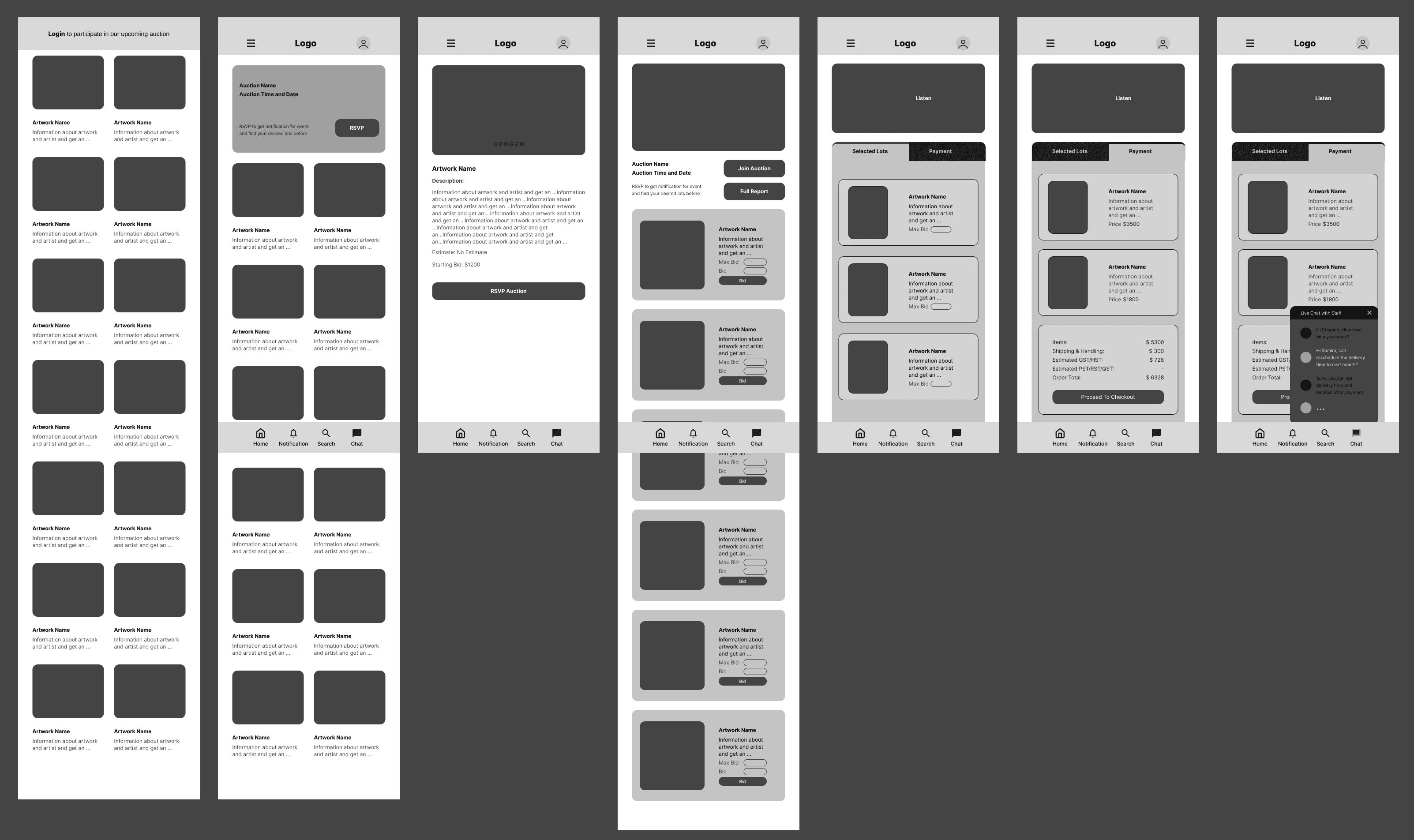
This initial testing identified several pain points and areas of confusion, which I promptly used to refine the wireframe. Addressing this early feedback was crucial, as it ensured the basic structure was logical and intuitive before investing time in high-fidelity design, making the wireframe stable and ready for more comprehensive usability testing with a target audience.
Digital Wireframe: Version 2
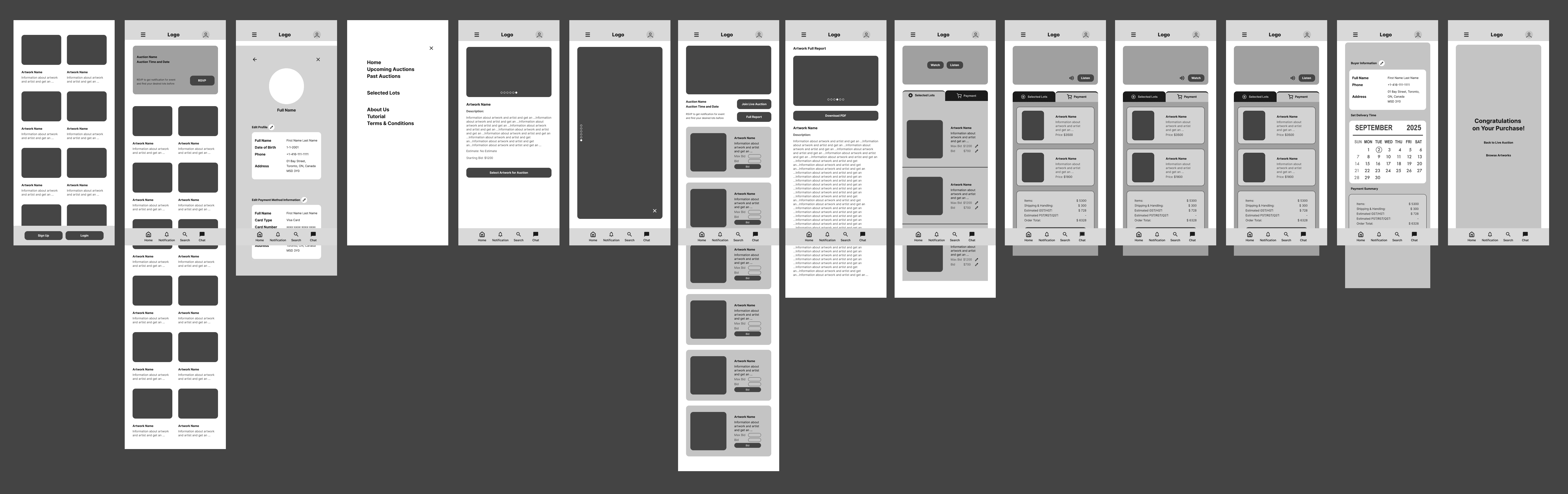
Lo-Fi Prototype Walkthrough
This video quickly demonstrates the app's fundamental structure, core screens, and basic user flow, focusing on the crucial auction purchase experience.
Built directly from refined wireframes and initial user feedback, this prototype showcases the basic logic and navigation before any visual design.
It is now stable, intuitive, and ready for comprehensive usability testing with a target audience.
Usability Testing: AI-Augmented Methodology
This usability testing phase validated the Orange Canvas Auction App's low-fidelity wireframes by employing an innovative, budget-conscious, AI-augmented methodology. Due to constraints, I used Gemini to simulate user testing sessions based on generated personas, interview questions, and the wireframes. Read more in detail about this AI-Augmented usability testing.
Goal
Explore the potential of AI role-playing for usability testing given budget constraints.
AI Tool
Google Gemini (for role-playing and prioritization) and Figma AI (for categorization).
Protocol
Simulated testing sessions using AI personas generated from a pre-screen form, with tasks based on wireframe PDFs.
Synthesis
Created an affinity diagram in Figma Jam, categorized and summarized by Figma AI.
Prioritization
Used Gemini to prioritize the synthesized feature list, replacing standard quantitative metrics (like SUS or failure rate).
Design Priorities After Usibility Testing
These requirements represent confirmed user needs that the design must address without providing specific solutions. Below are some priorities for each level of priority.
P0
Accessibility / Confidence
The interface must ensure all text, particularly financial figures, meets the highest contrast standards and is easily legible/scalable by older users.
P1
Client/Address Management
Users who manage multiple accounts require a dedicated, easy-to-access area to store, name, and edit different client shipping, tax, and billing information.
P2
Live Auction Stability
The live auction interface needs a clear and instant mechanism for users to switch from video streaming to a stable audio-only feed.
Implement a Design System and AI-Augmented Prototyping
Design System Foundation
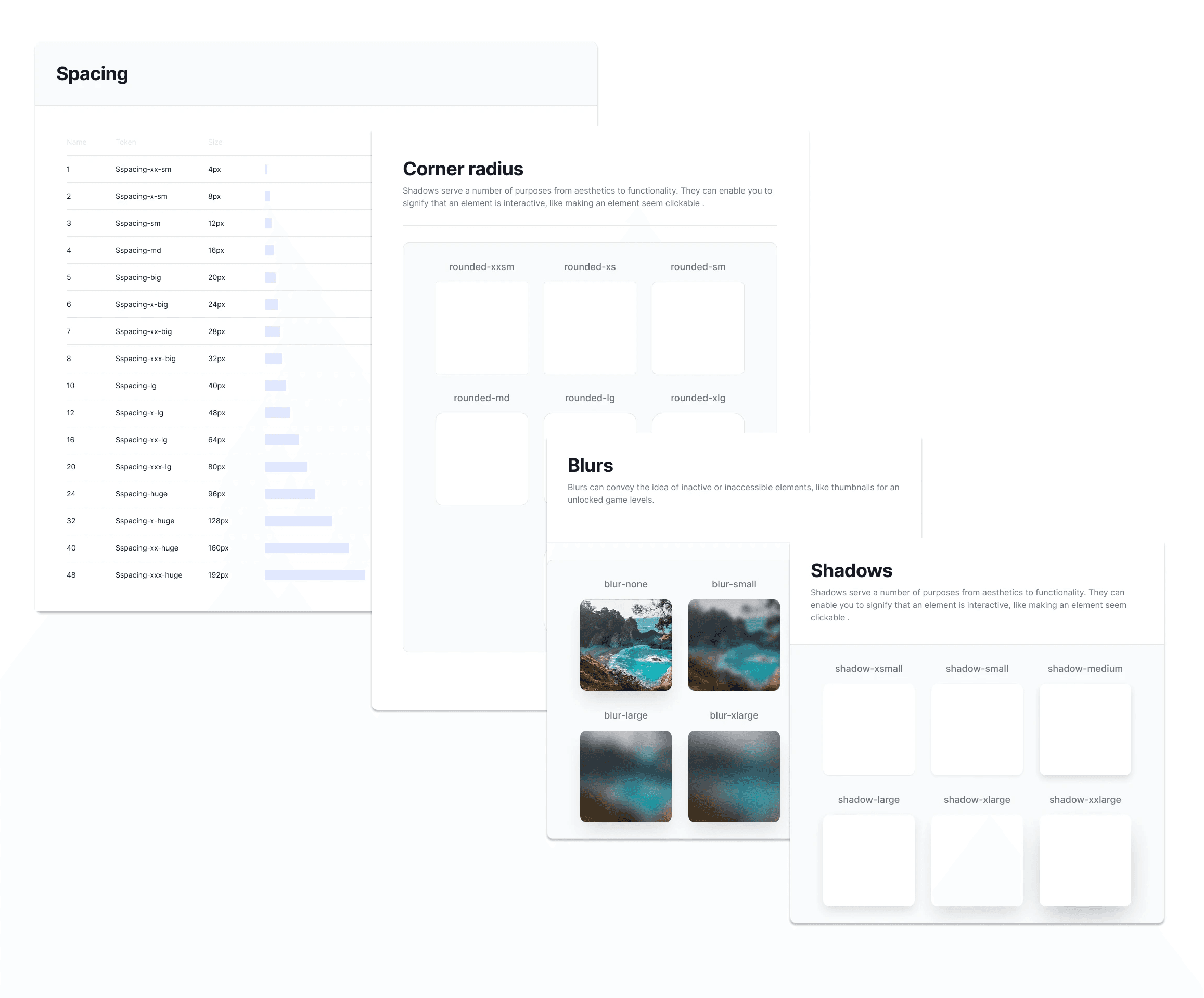
I established the main elements of a design system to guide the high-fidelity (hi-fi) wireframe creation for the Orange Canvas Gallery app. This system defined the core visual language:
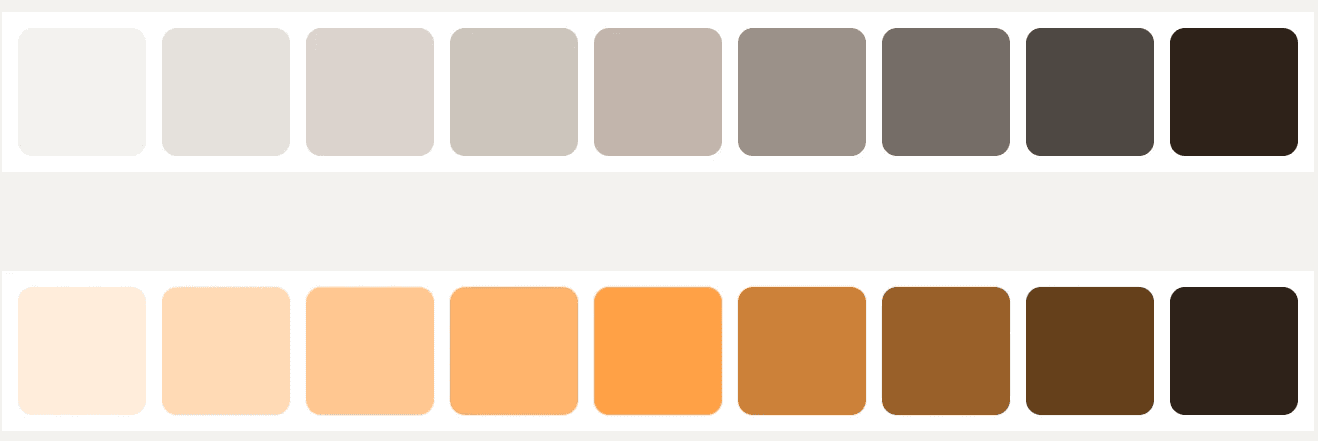
Color Palette
Specified the use of the Primary Orange for branding and accents, and a Neutral Grey scale for text and backgrounds, ensuring consistency.
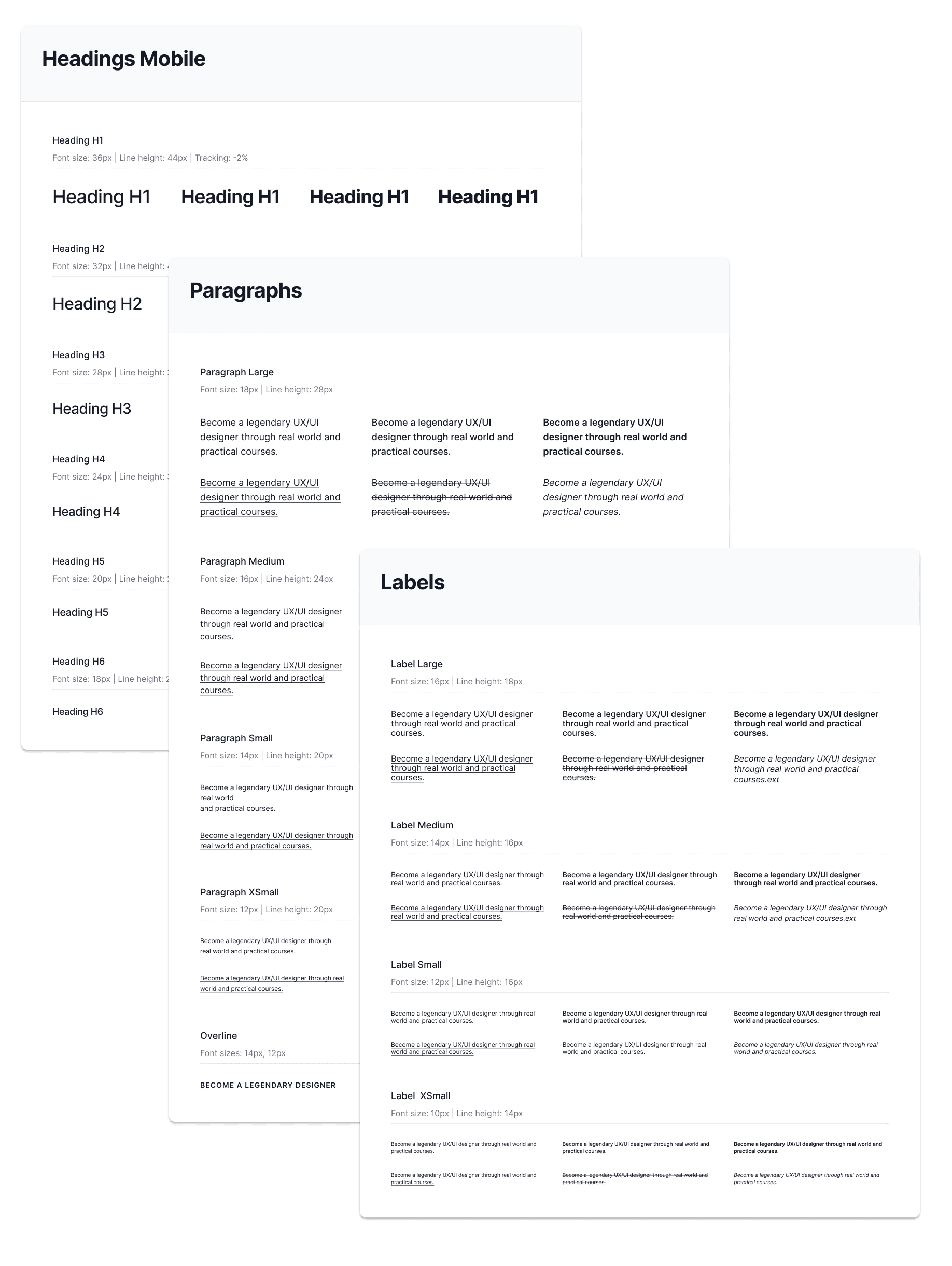
Typography
Defined mobile heading sizes (H1-H6), paragraph sizes, and label sizes, setting a clear hierarchy.
Geometry
Standardized corner radius tokens (e.g., sm, md, lg) to ensure consistent shape across all interface elements (buttons, cards, inputs).
Core Components
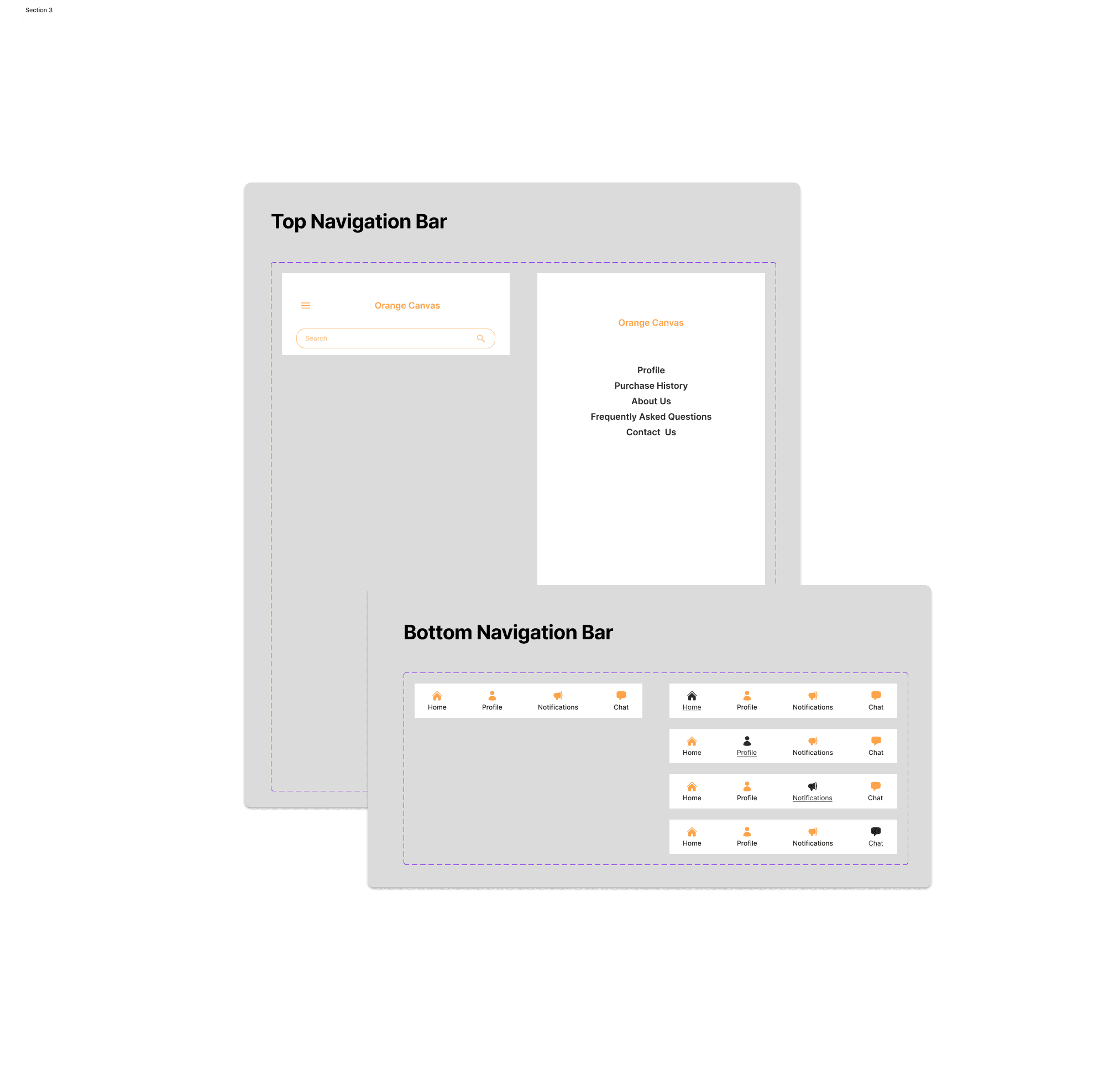
Identified the essential navigation components, including the structure of the Top Navigation Bar and the four-icon Bottom Navigation Bar.
Gemini-Assisted Prompt Engineering for Figma Make
I utilized Gemini to write a comprehensive, prioritized prompt for the hi-fi wireframes in Figma Make. This process was driven by a need to rigorously incorporate complex design priorities identified through previous usability testing (P0 Accessibility, P1 Professional Workflow, etc.).
My workflow involved two distinct attempts:
Attempt 1: Section-by-Section Prompting (Less Effective)
Initially, I tried generating a prompt for each main section individually, asking Figma Make to create one section at a time. While I successfully imported the design system files and photos, the iterative process was highly unstable:
Figma Make frequently removed or corrupted a good section with a new, unsatisfactory one, and there was no accessible undo function to revert the change.
The incremental changes often were not immediately visible on the main page canvas.
Attempt 2: Comprehensive Prompting (More Effective)
In the subsequent attempt, I consolidated all requirements into a single, unified, master prompt. Crucially, I asked Gemini to incorporate the detailed design system specifications directly into this comprehensive prompt. This method yielded a better, more accurate result closer to the final vision.
One key benefit of using AI for this process is the ability to incorporate numerous design priorities (like accessibility and professional efficiency) into the hi-fi design specifications simultaneously, provided that it does not alter business goals.
Workflow Limitations and Necessary Adjustments
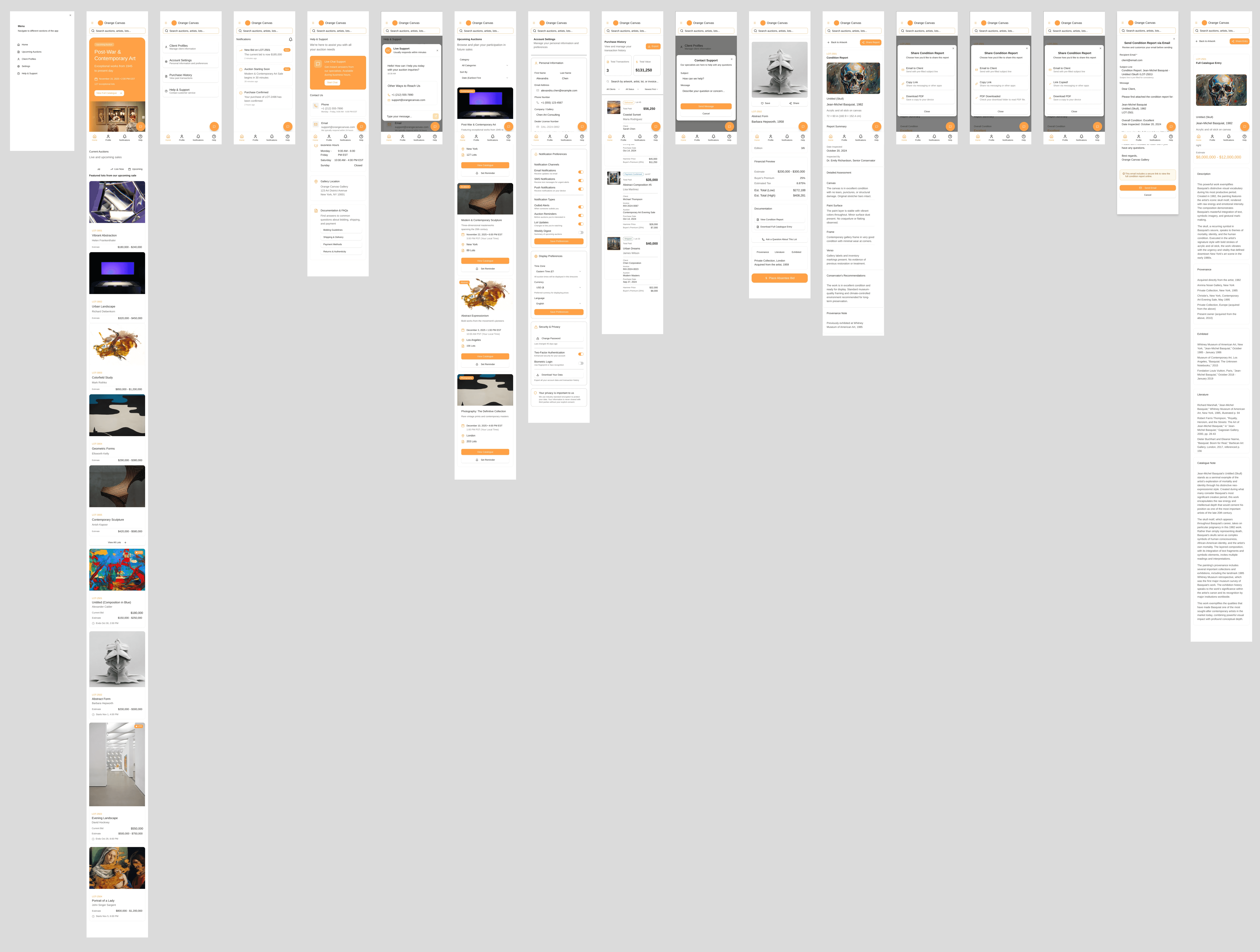
After generating the prototype, I selected the main pages to import into Figma Design for final refinement, noting several practical limitations with the AI-generated output:
Interaction Loss
At the moment, there is no way to export interactions to Figma Design. Furthermore, many non-main interactions and lightboxes from the Figma Make prototype are lost during the transfer.
Typography Discrepancy
Although the design system incorporated a specific typeface, Figma Make defaulted to its own typeface. While acceptable for a showcase, this requires immediate adjustment in Figma Design for the final project to meet brand specifications and accessibility requirements.
Editing Difficulty in Figma Make
Making detailed adjustments to fonts or shapes within the Figma Make interface proved difficult, often resulting in partial changes. This reinforced the conclusion that the majority of design structure and fidelity must be established in the initial, comprehensive prompt.
In summary, utilizing Gemini to create a single, highly detailed, and design-system-integrated prompt was the most efficient way to generate a high-quality foundation for the hi-fi wireframe, despite current technical limitations in the Figma Make to Figma Design prototyping transfer process.
High-Fidelity Prototype: Bringing Orange Canvas to Life
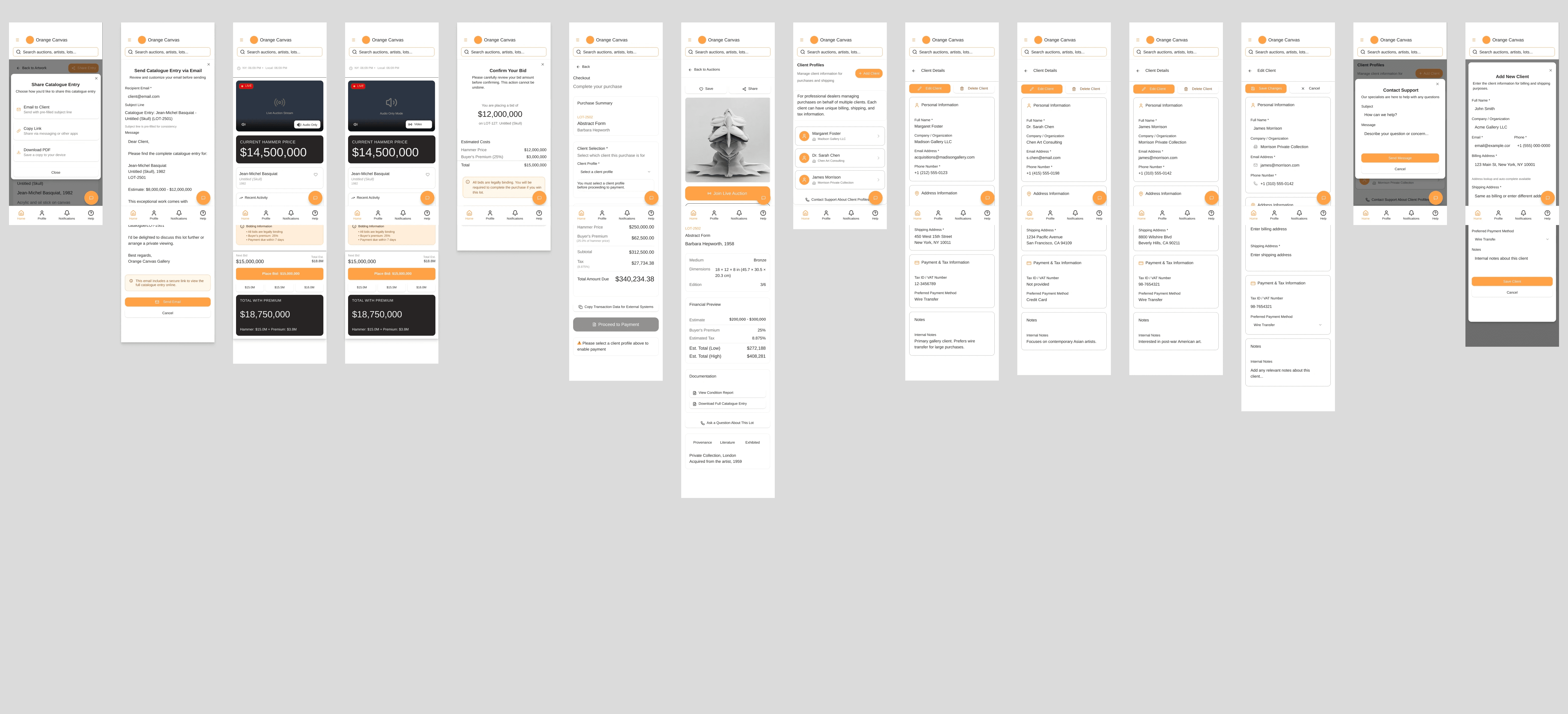
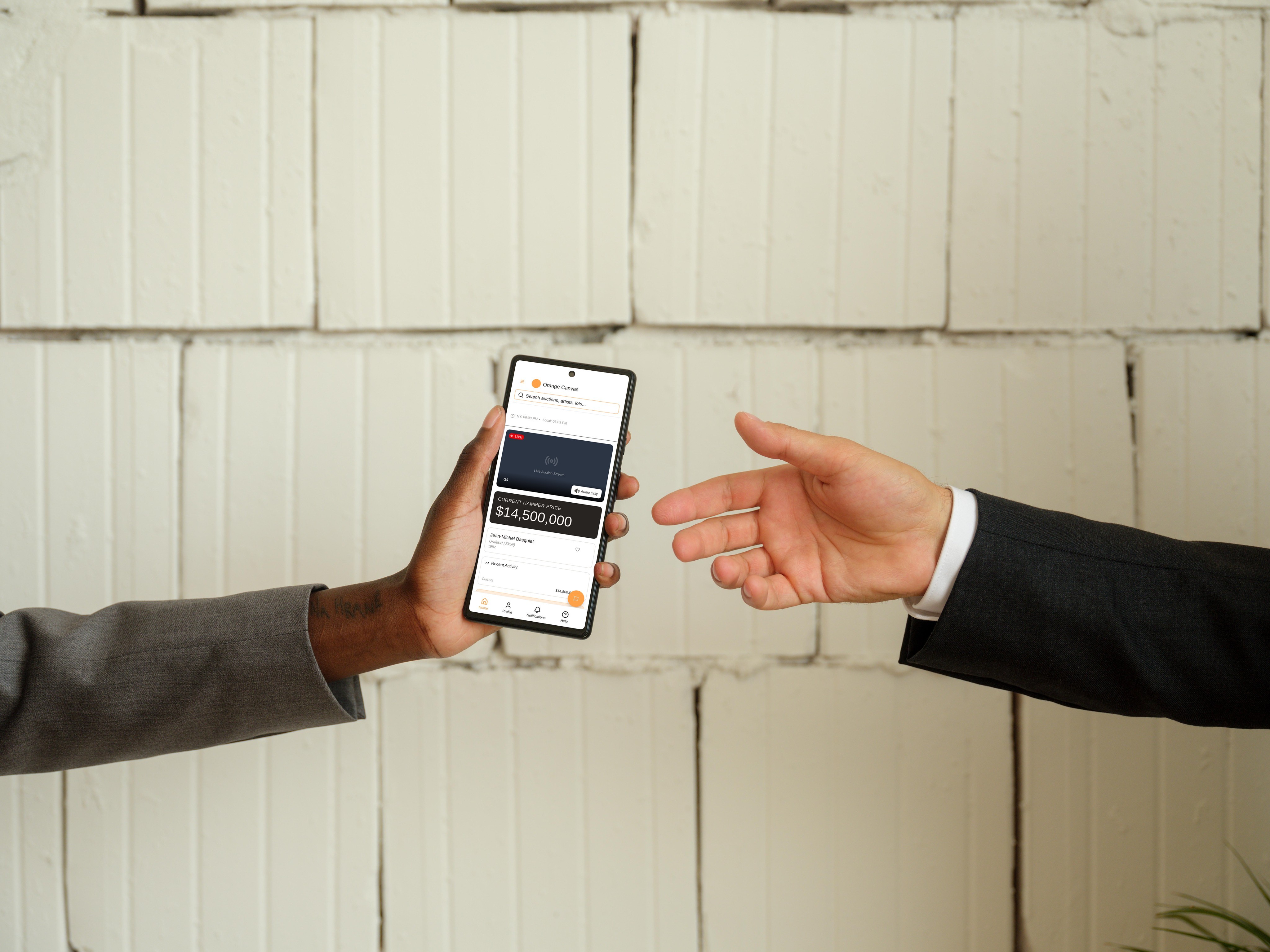
This high-fidelity prototype demonstrates the final visual design, using the detailed specifications of our design system and strictly adhering to P0 accessibility and P1 professional workflow requirements.
You can explore the main user journeys, including the high-contrast Live Auction Bidding Interface and the efficient Client Profile Management system, as outlined in the master prompt.
Click the link below to experience the current version of the user interface directly in Figma.
Next Steps and Reflections
The next phase is to validate the AI-assisted design before deployment, involving critical human and future-focused research:
01
UX Research and Usability Testing with Humans
We must conduct usability testing with real users to ensure the design requirements are successfully met in practice.
02
AI Agent Research for User Persona
As AI agents are rising, I want to try AI research focused on developing an "AI user persona." This emerging field might be a potential path for UX research in the future, simulating interactions and identifying potential friction points from the perspective of an automated system.
Featured Projects
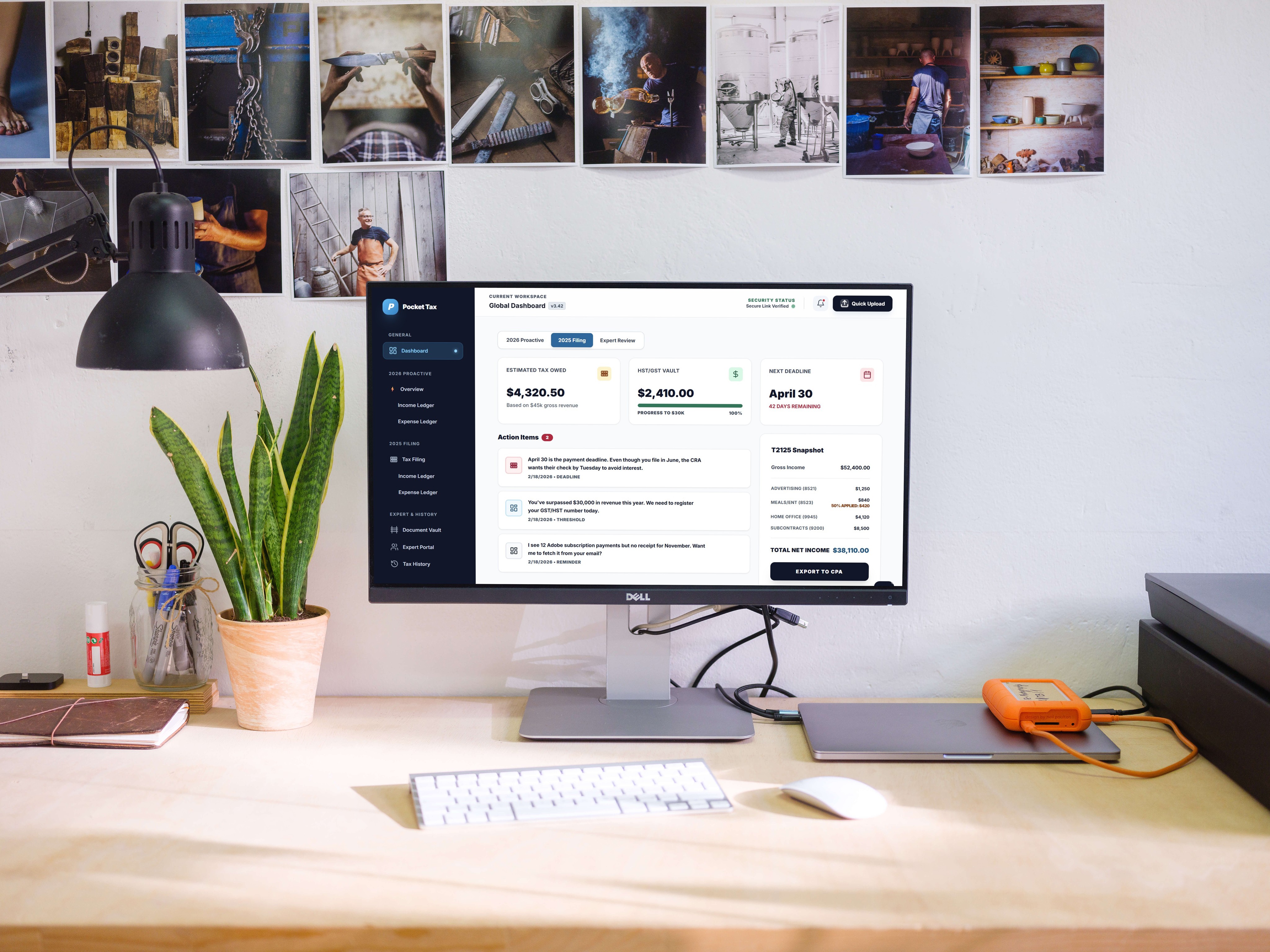
PocketTax: Solving the Solopreneur’s Tax Gap
An AI-powered B2B2C platform designed to transform Canadian tax compliance from a yearly crisis into a seamless, year-round mobile habit.
AI Role-Playing for Usability Testing: A Budget-Conscious Exploration
To address budget constraints and explore innovative applications of AI in usability testing—moving beyond current uses like form creation or summary generation—I implemented an innovative AI role-playing method using Gemini.

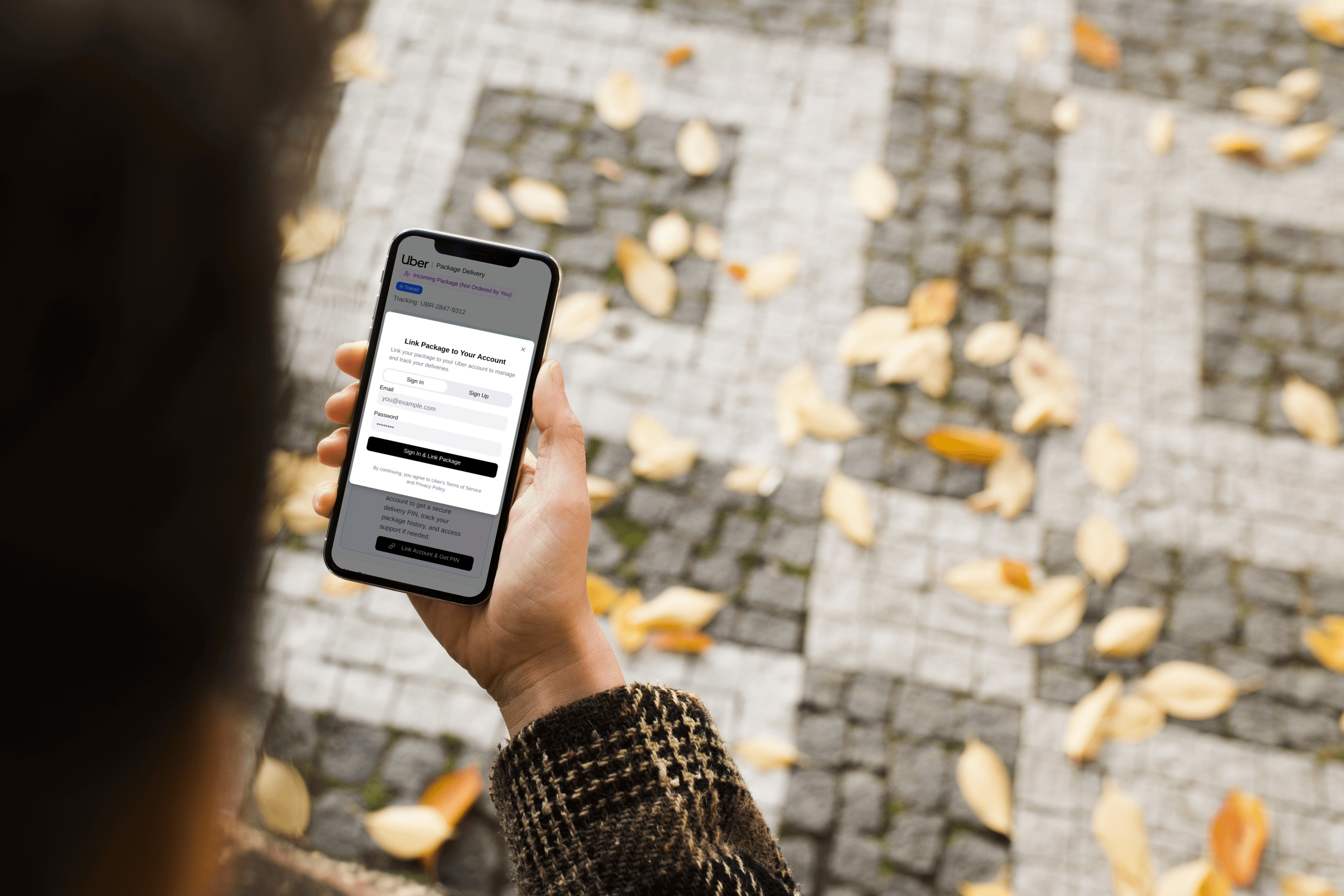
Uber -Improving Package Delivery Security
Designing a system that introduces recipient account linking and a mandatory PIN to ensure delivery confirmation and enable direct follow-up support for package receivers.
Reach Out with Your Questions!
If you have any questions, please feel free to contact me.
Back to Top