Uber -Improving Package Delivery Security
Designing a system that introduces recipient account linking and a mandatory PIN to ensure delivery confirmation and enable direct follow-up support for package receivers.
Disclaimer: This case study is an independent, educational design exercise based on personal experience and is not affiliated with, endorsed by, or sponsored by Uber.
Project overview
Scope:
UX Design, UX Research
Tools:
Figma, Figma Make, Gemini, Canva
Problem:
Existing package delivery flows often lack secure hand-off verification, a lack of direct support for the intended recipient.
Solution:
A security-focused system that introduces recipient account linking and a mandatory PIN verification at the point of delivery.
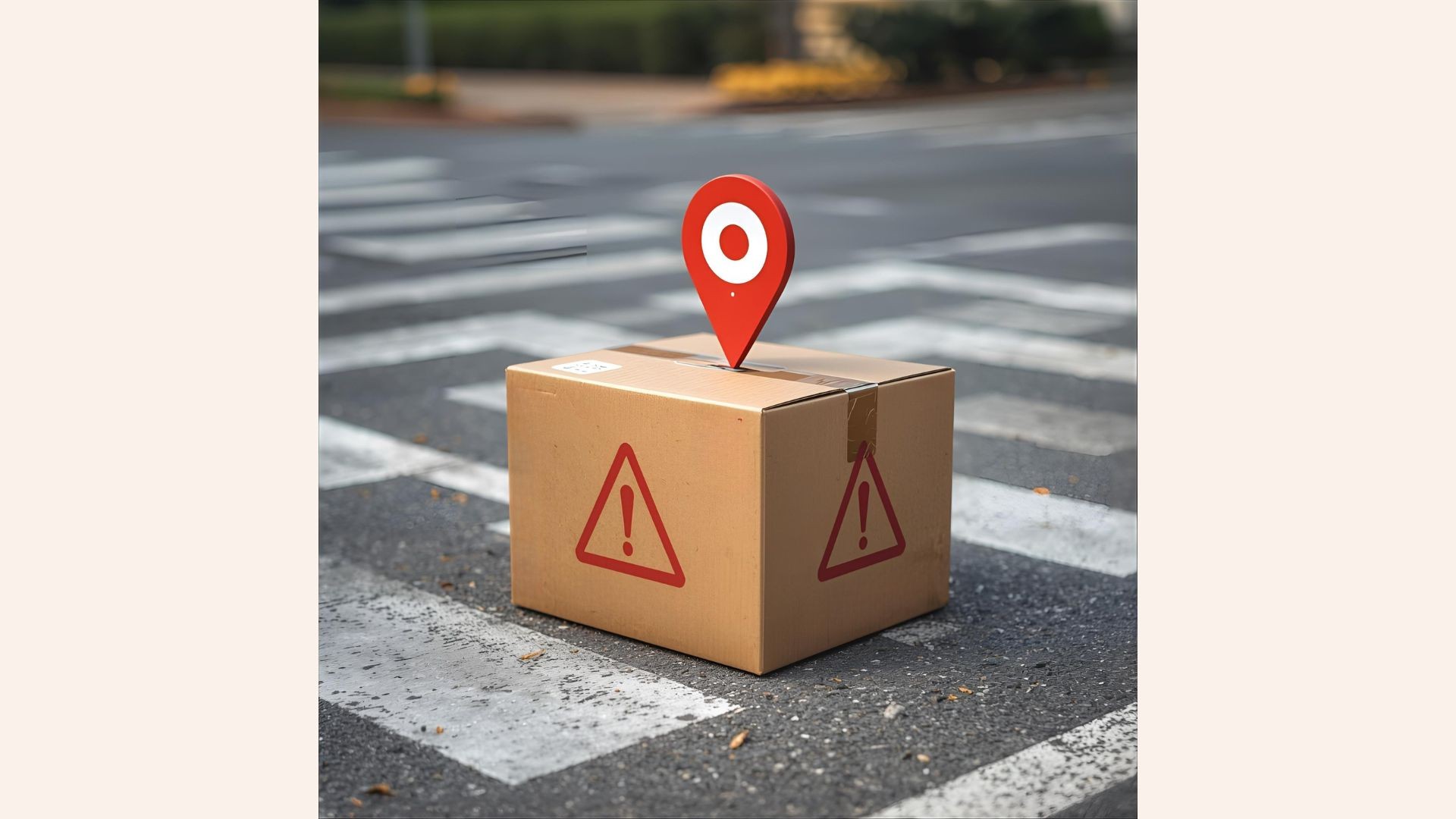
The Problem: A Case of Lost Accountability
My personal need for this redesign began with a frustrating package delivery experience. A large package was sent to me via Uber, and I received the standard text message with a tracking link to follow the driver and initiate chat.
The Incident
The delivery hit a snag when the driver was unable to locate the specific parking entrance for the large box.
I guided them via chat to the correct location. After several failed attempts, the driver abruptly marked the delivery as complete in the system and stopped responding to calls or messages.
The Immediate Crisis
Since I was only viewing the delivery through an unlinked text message URL, I had no ability to:
Report the Issue: I could not contact Uber Support directly, as the delivery was not tied to my personal account history.
Verify Status: The delivery was officially marked "completed" despite my having never received the package.
Long story short, I eventually located the large box abandoned in a completely different building across the street—placed there by the driver without explanation or confirmation.
The Problem
This experience highlighted a critical flaw in Uber Package: the current system treats the recipient as a passive viewer rather than an active stakeholder. The moment the driver clicks "complete," the recipient loses all recourse. This case study is my proposal to solve this accountability gap by giving the recipient control, security, and a voice through account linking and PIN verification.
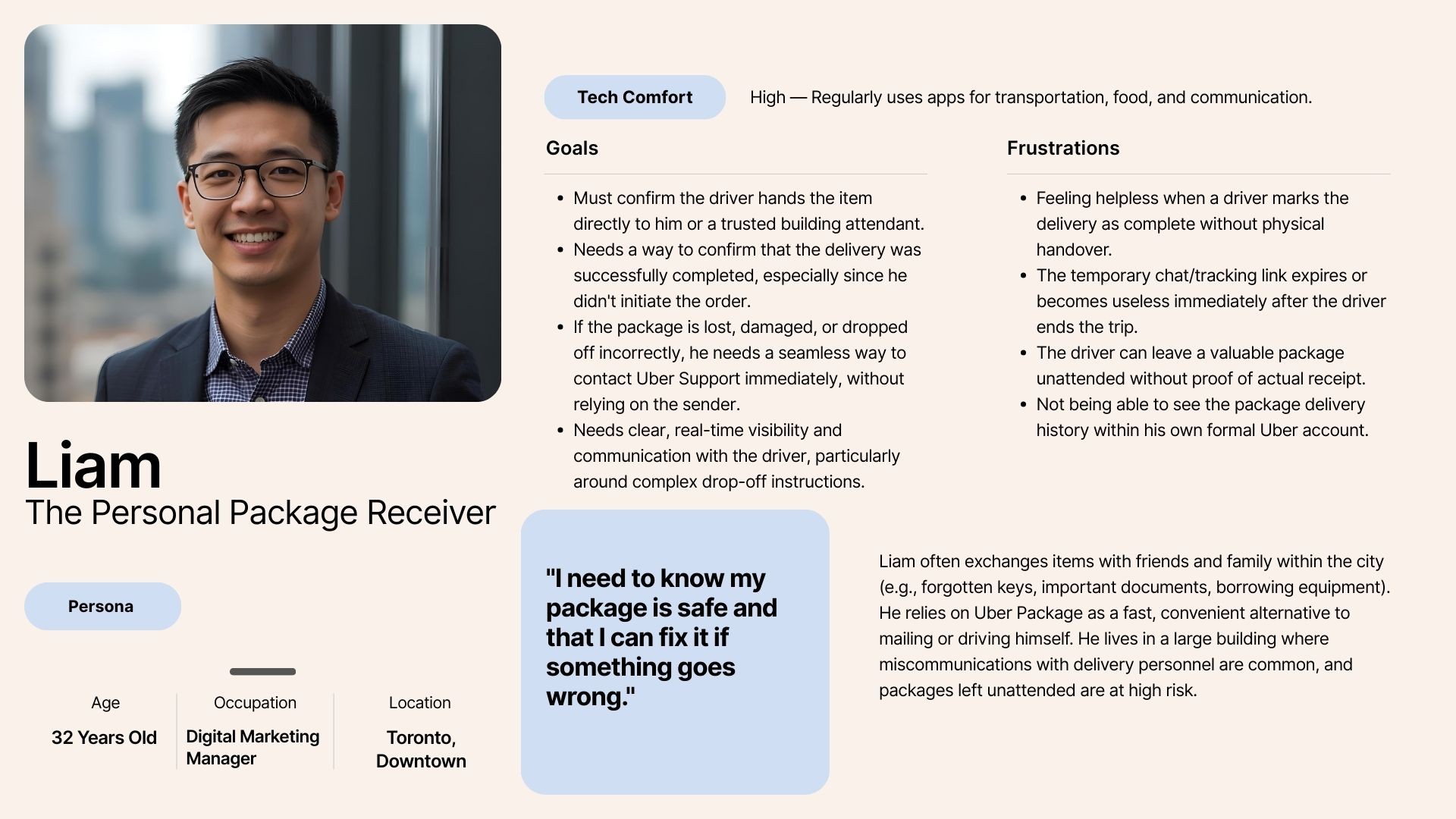
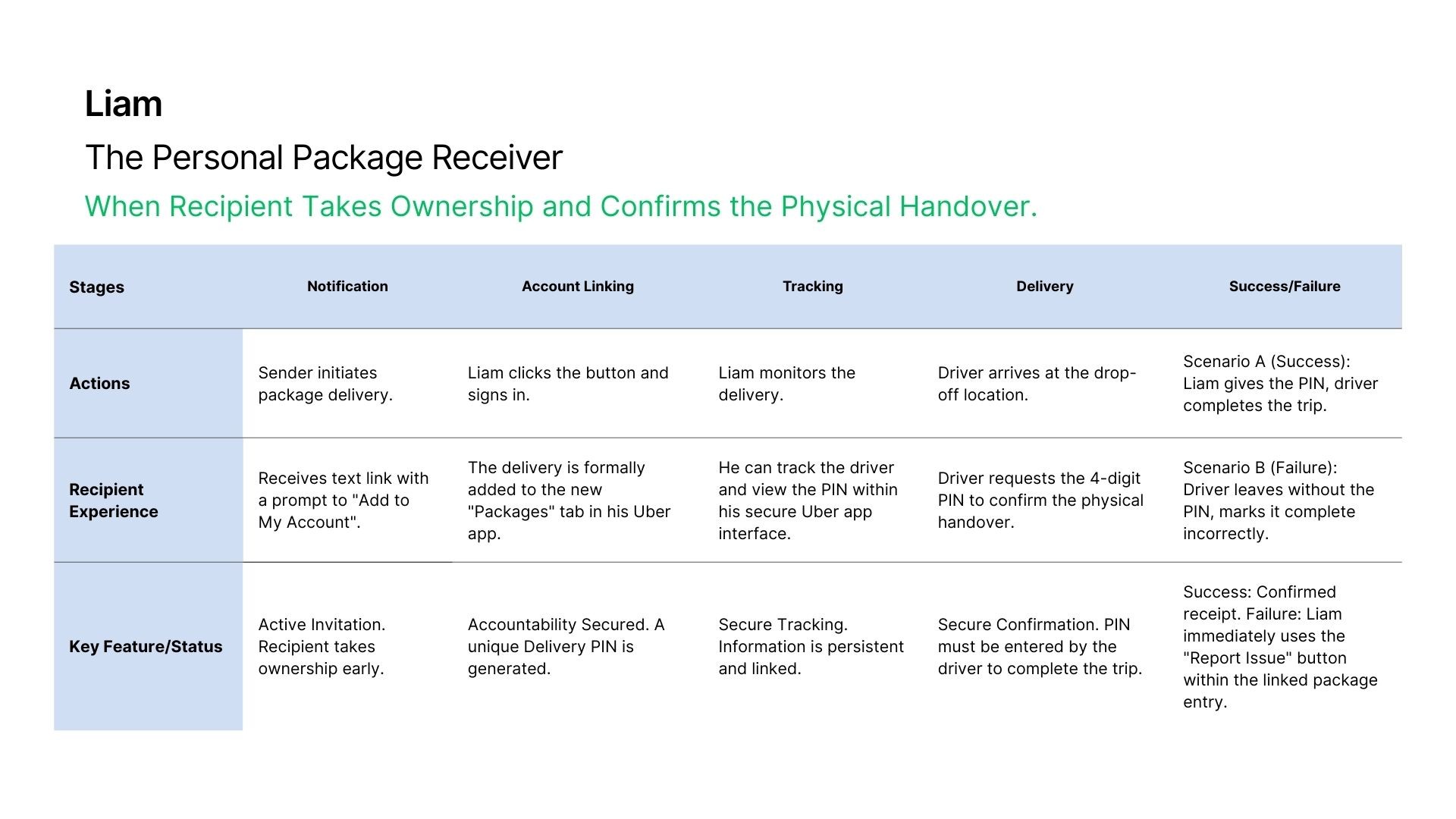
User Persona: The Personal Package Receiver
I established the Liam persona to clearly define the recipient's goals, pain points, and specific urban context, emphasizing that the recipient is not just a passive viewer, but a key stakeholder in the successful delivery completion.
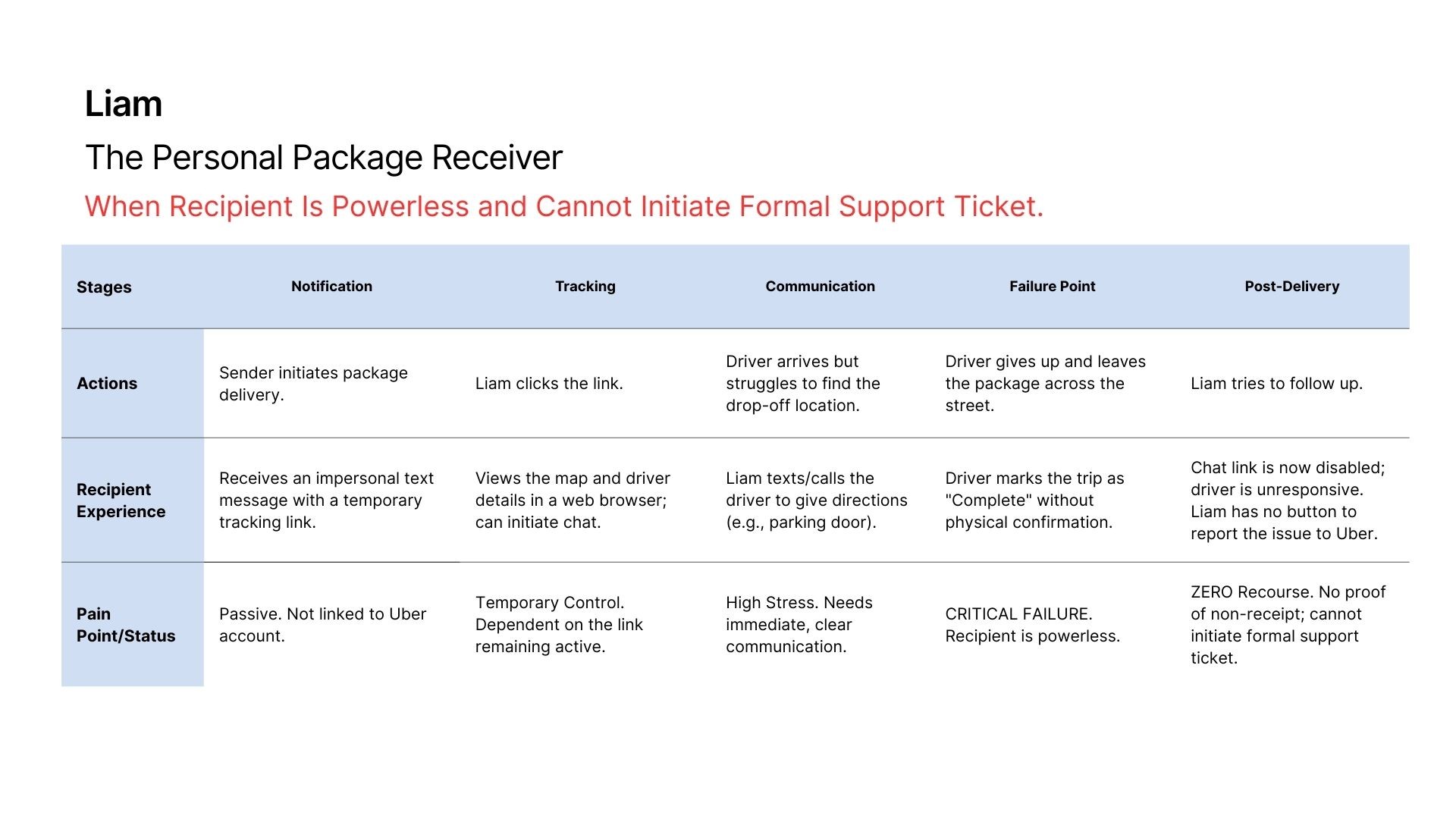
User Journey Mapping: Package Recipient
By mapping the Current Frustrating Journey against the Proposed Seamless Journey, I visually contrast the problem state with the solution, highlighting how my proposed features eliminate critical failure points.
The Gap: Current Frustrating Journey
This journey shows how the recipient becomes powerless when the driver fails to complete the delivery correctly.
The Solution: Proposed Seamless Journey
This journey introduces the new features that transfer control and accountability to the recipient.
Leveraging Gemini for Design Specification
I used Gemini as a Design Spec Generator to translate the conceptual solutions (Account Linking, PIN Confirmation, New "Packages" View) and the defined User Journey into a structured, technical prompt for a visual design tool like Figma Make.
Context Synthesis
I provided Gemini with the user persona (Liam), the pain point story, and the successful user journey map.
Structuring and Formatting
The goal was to convert this narrative information into an actionable, screen-by-screen specification that a human designer or an AI-powered Figma plugin could immediately understand and execute.
High-Fidelity Guidance
By requesting High-Fidelity Wireframes, I ensured the output would focus on UI elements (buttons, fields, navigation) rather than just abstract boxes.
This process allowed me to bypass the time-consuming step of manually writing detailed wireframe requirements for multiple screens, moving directly from the conceptual "What" (the solution) to the functional "How" (the design output).
Solution Design Process
To address the lack of recipient accountability, I developed a solution implemented across three key stages:
Account Linking Initiation
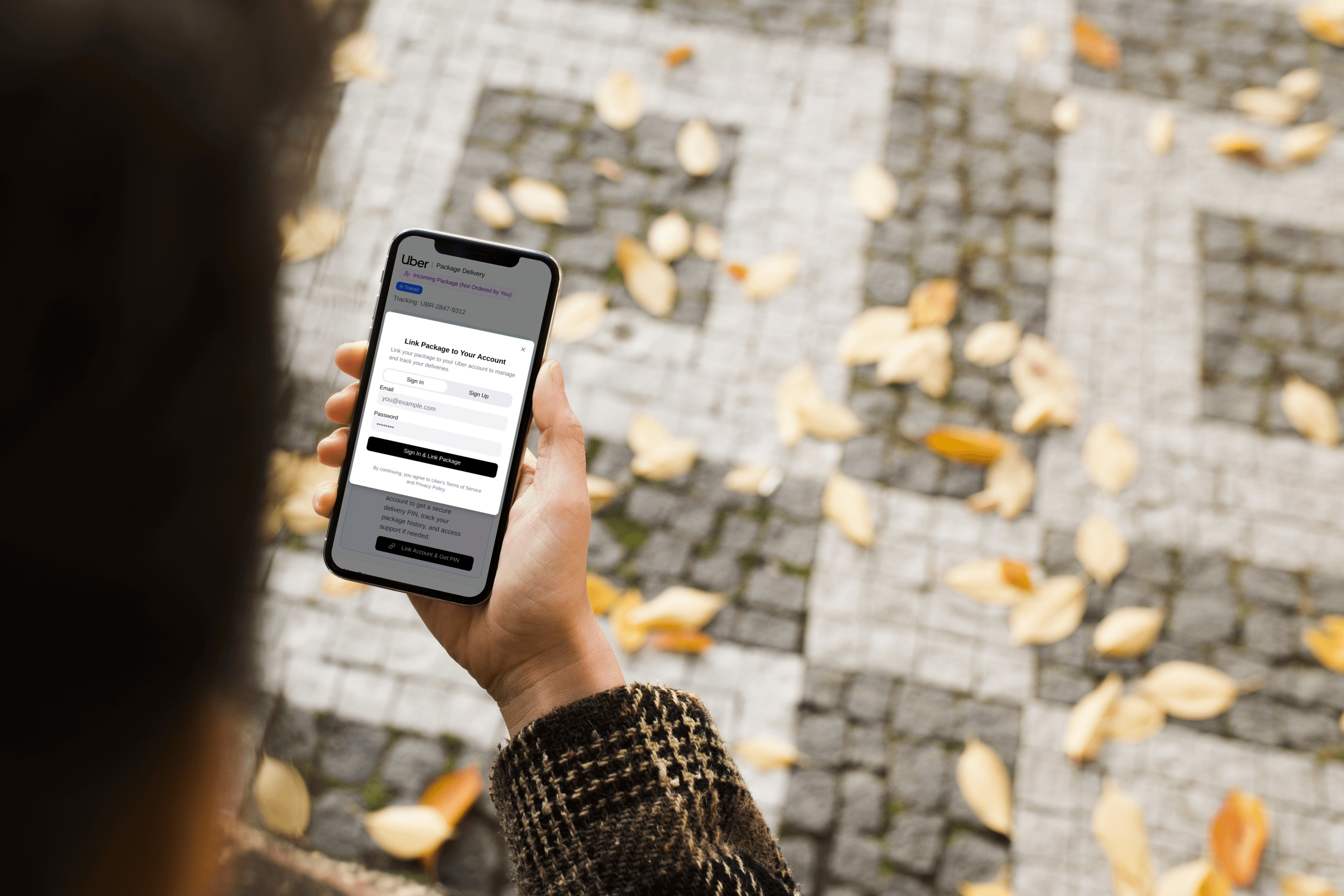
The process begins on the standard web-based tracking page (Screen 1), where a new button prompts the recipient to sign in (Screen 2). This action formally links the incoming delivery to their Uber account.
App Integration & Information Ownership
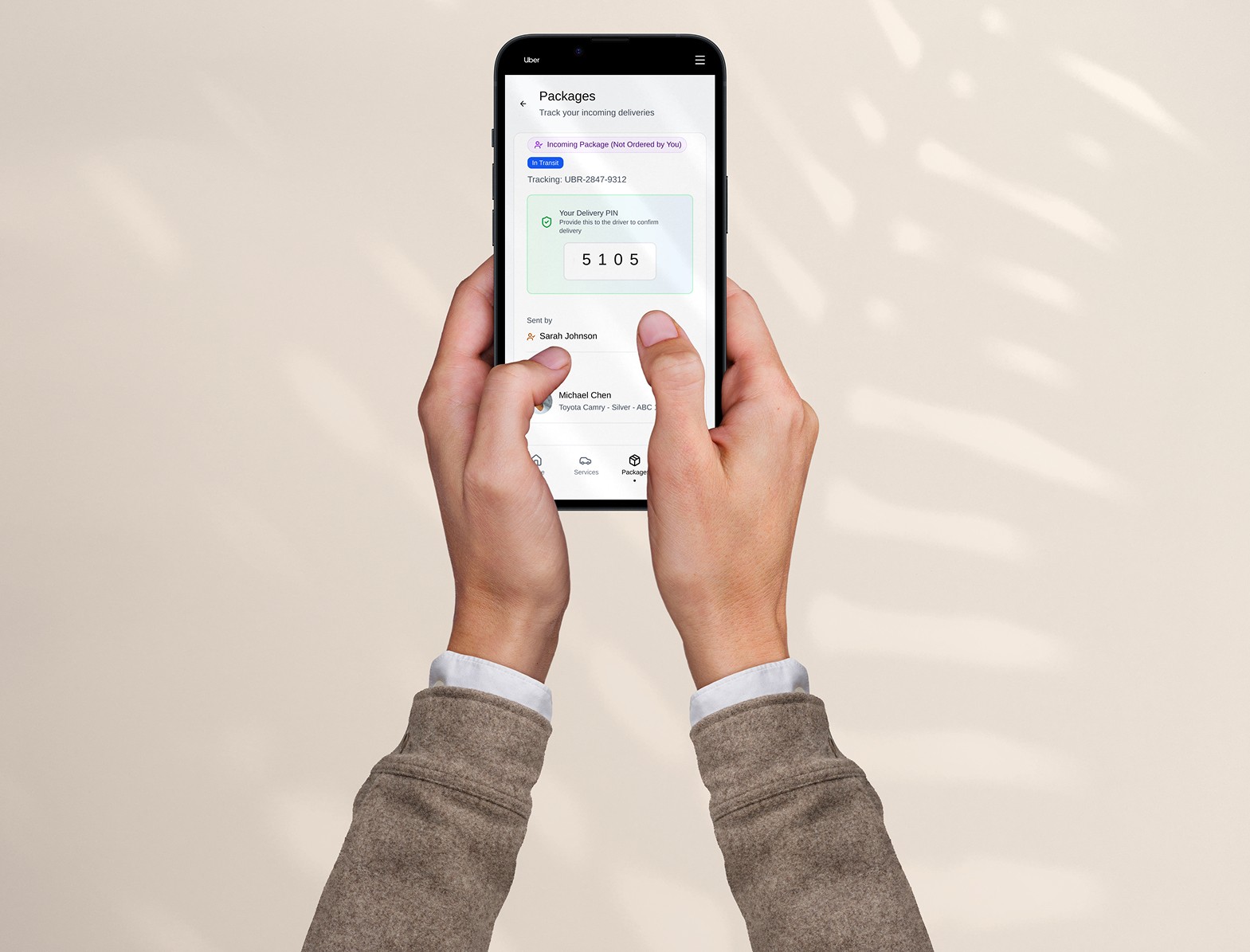
Once linked, the recipient's main Uber application gains a new "Packages" section (Screens 3 & 4). This move transfers the delivery information from a temporary web link to a secure, permanent spot in their app history.
Secure Confirmation & Recourse
The final step involves the Package Detail Screen (Screen 5), which prominently displays the unique Delivery PIN required for the driver to complete the drop-off, and provides a persistent "Report Issue" button, giving the recipient control and immediate support access.
This workflow, captured through a high-fidelity prototype, ensures accountability from the moment the recipient engages with the delivery.
Next Steps & Reflection
01
Immediate Next Step
Conduct user testing on the high-fidelity prototype to validate the usability of the Account Linking flow and the clarity of the Delivery PIN function.
A combination of metrics will be valuable for this purpose, including the Task Success Rate, User Error Rate, and Task Completion Confidence measured through post-task surveys. Additionally, we will track Clarity Ratings using a Likert scale, as well as Time on Task for both workflows. Finally, we will utilize the System Usability Scale (SUS) as an overall measure of usability.
02
Designer Lesson
This exercise, born from a personal pain point, underscores that lived experience often serves as the most powerful catalyst for identifying critical design gaps and developing robust, user-centered solutions.

Reach Out with Your Questions!
If you have any questions, please feel free to contact me.
Back to Top